Open-Source Email Archiving Comparison: Open Archiver vs. Mail Archiver
In the sign of the increasing use of e-mail, in which contracts and other important documents are also sent by e-mail, the question of secure storage and archiving arises at some point. That’s what today’s article is about.
Introduction
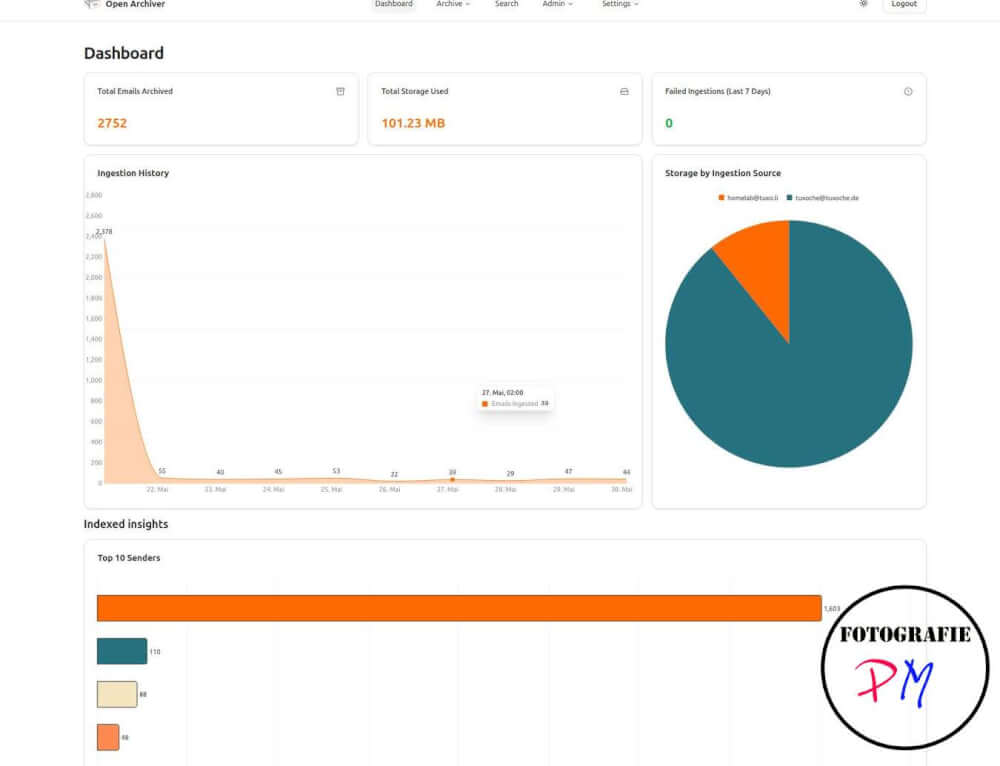
Nowadays, almost all communication no longer takes place by letter, but by e-mail. As a result, large quantities of messages quickly accumulate in the mailboxes. Especially for smaller companies or offices, it is therefore becoming increasingly important to archive e-mails reliably.
Let’s start with Open Archiver.
With e-mail archiving, there is – how could it be otherwise – also the possibility to host the solution yourself. I took a closer look at two projects that have only existed since 2025, because I was looking for a suitable solution myself. One project is Open Archiver, the other Mail Archiver. Both are open source projects that can be hosted by themselves, require few resources and are relatively easy to install in my opinion.
Of course I also recorded a video:
Open Archiver: Installation and first steps
The project will be downloaded locally via Git. Subsequently, all you have to do is adapt the ENV file to your own circumstances. These include, for example:
- Productive or test operation
- E-mail archiving intervals
- Database settings
After that, the project can be started with a simple Docker command.
As usual with many comparable applications, the first user who creates an account automatically becomes an administrator. He can then make further settings and create additional users.
A small stumbling block in user management
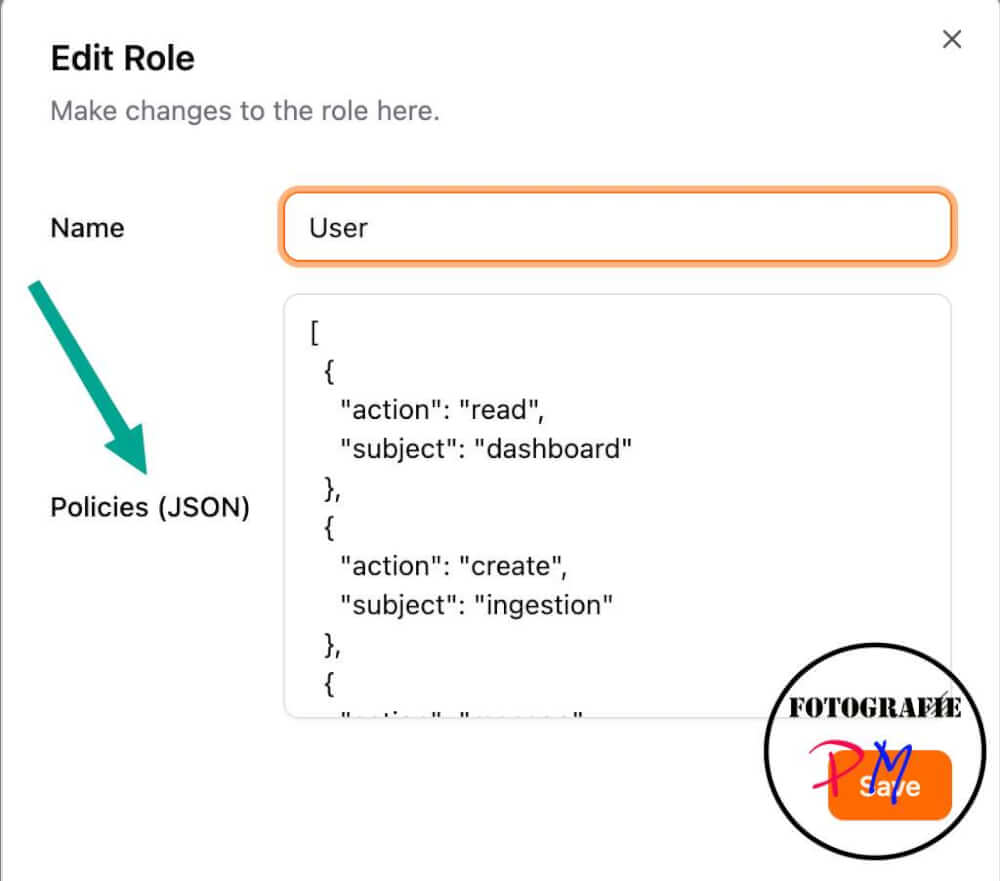
When furnishing, however, I noticed a small stumbling block:
To create a default user with restricted rights, you must first create a corresponding role. For this, one of the examples from the documentation must be stored as a JSON file.
This caused me difficulties at first, because the sample file contained a comment. This regularly led to an error when transferring it to the web interface. Only after removing the comment could the role be created correctly.
Then the question arises, why not just a role of the standard user with a restricted rights can not be created directly in the interface.
Mail accounts and archiving
After the users have been created, they can manage their mail accounts themselves and add them to the archiving.
Various IMAP variants are supported as well as the connection of Google and Microsoft accounts.
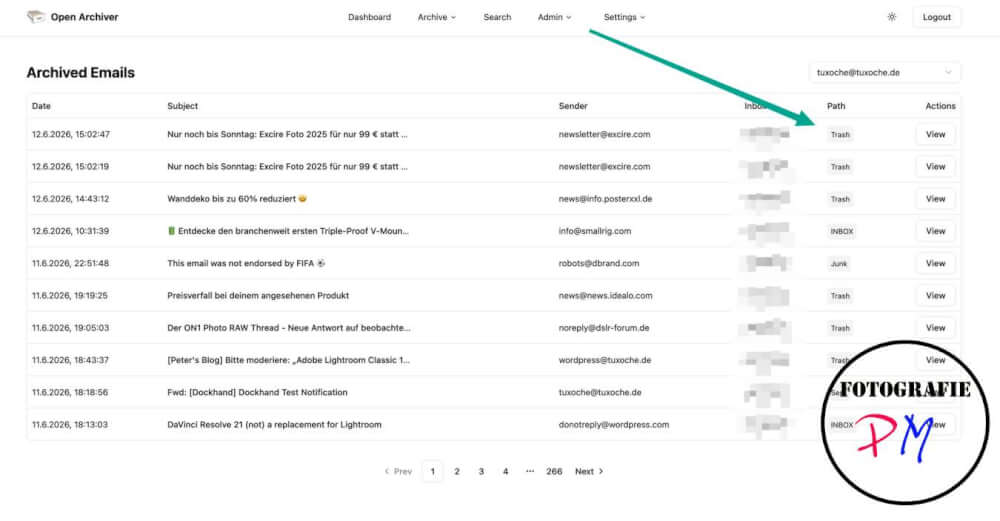
As soon as the intervals for retrieving and archiving the e-mails have been set in the ENV file, the first messages appear in the overview after a short time.
Critics about Open Archiver
A small negative point is the Redis database in the background. If a user other than the default value is used for this, an error message occurs. This error is documented. Why this bug has not been fixed by an update after almost two months, I can’t quite understand.
Benefits of Open Archiver
Positively noteworthy is the fact that the e-mails are stored completely in the file system. This allows administrators to directly access the archived messages if necessary.
Another advantage is the integrity check: a check sum is created for each e-mail and its attachments. This allows it to be checked at any time whether the archived data is unchanged and complete.
Mail Archiver: Fewer containers, easy setup
The second project, Mail Archiver, will also be installed via Docker.
In contrast to Open Archiver, however, only the actual application and a PostgreSQL database are required here. As a result, the number of containers is smaller.
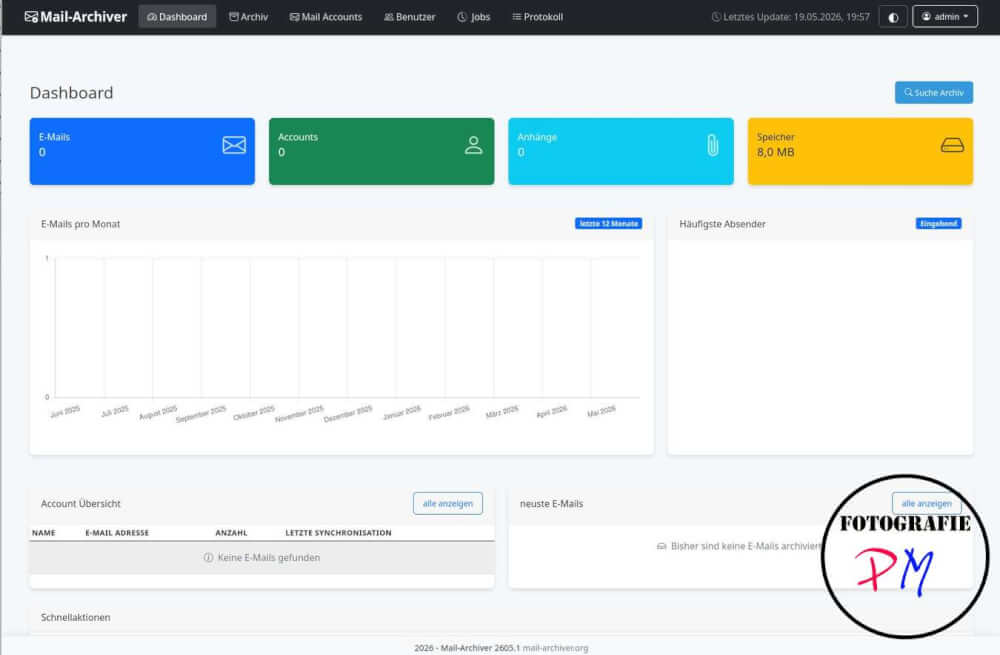
Also here, the first user automatically becomes an administrator and can create additional users. The basic approach corresponds to that of Open Archiver.
User-friendliness and security
The user management at Mail Archiver is a little more elegant. For example, users can decide for themselves whether they want to activate two-factor authentication for their account. Open Archiver does not offer this option at the moment.
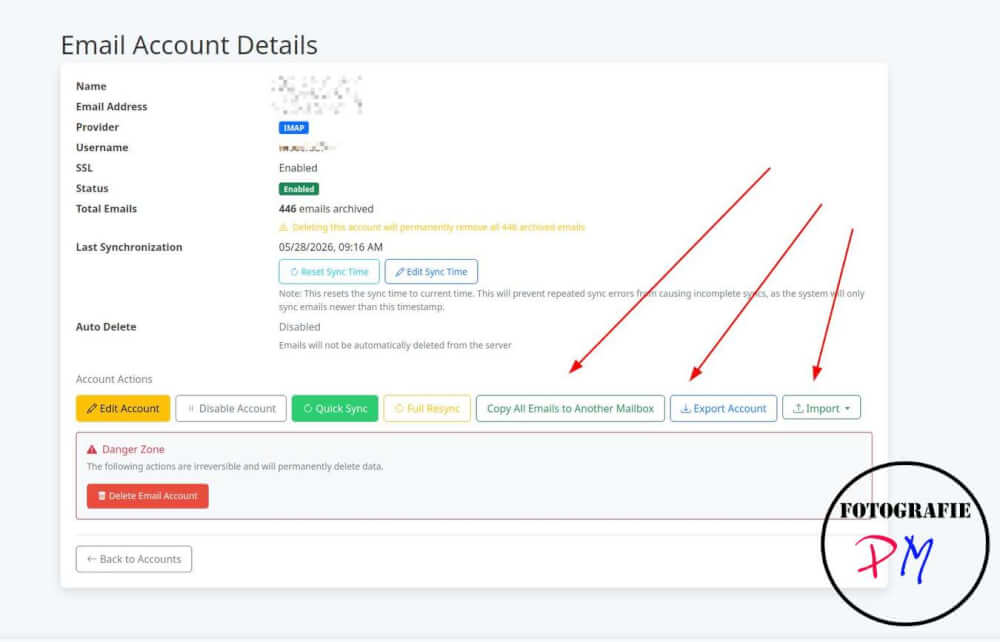
Mail Archiver can also be used to use an environment variable to determine the intervals at which e-mails are retrieved and archived.
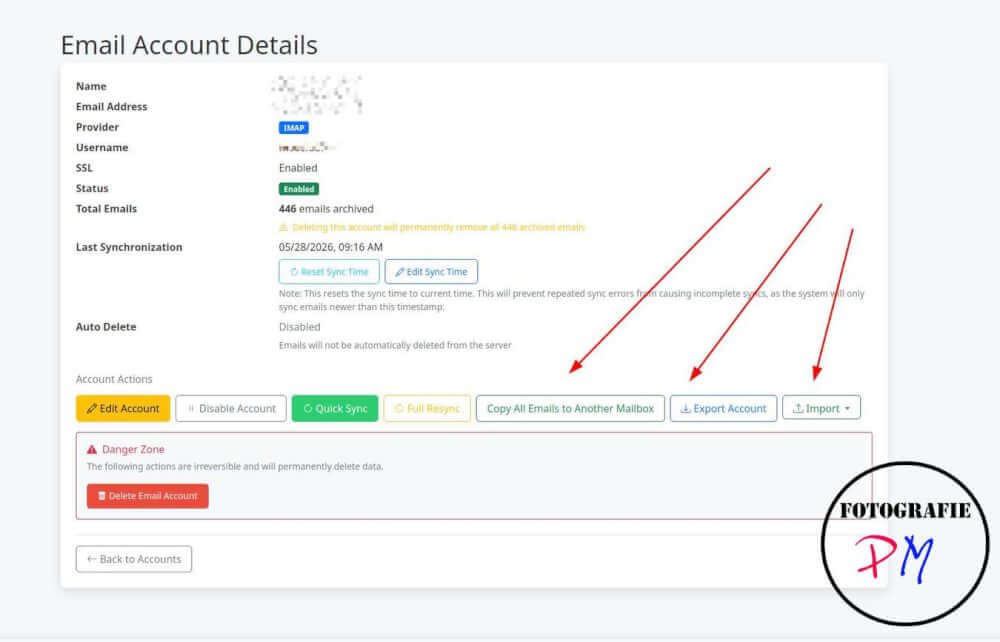
Storage of e-mails
In different from Open Archiver, emails are not saved as EML files. Instead, messages, including all attachments, are stored entirely in the PostgreSQL database.
This might seem like a disadvantage at first. However, the application offers the possibility to export individual emails or even complete archives of an account as EML files.

If the project is no longer further developed at some point, the data would still be available in an open format. A change to another solution would be associated with effort, but basically possible.
Benefits of Mail Archiver
I currently see the biggest advantage of Mail Archiver in the fact that archived e-mails can be restored with a few mouse clicks. Even if a message in the original mail account has already been deleted, it can be retrieved from the archive.
Another important advantage is the ability to exclude certain folders from archiving. Especially with IMAP accounts, it is possible to define specific folders that are to be archived.
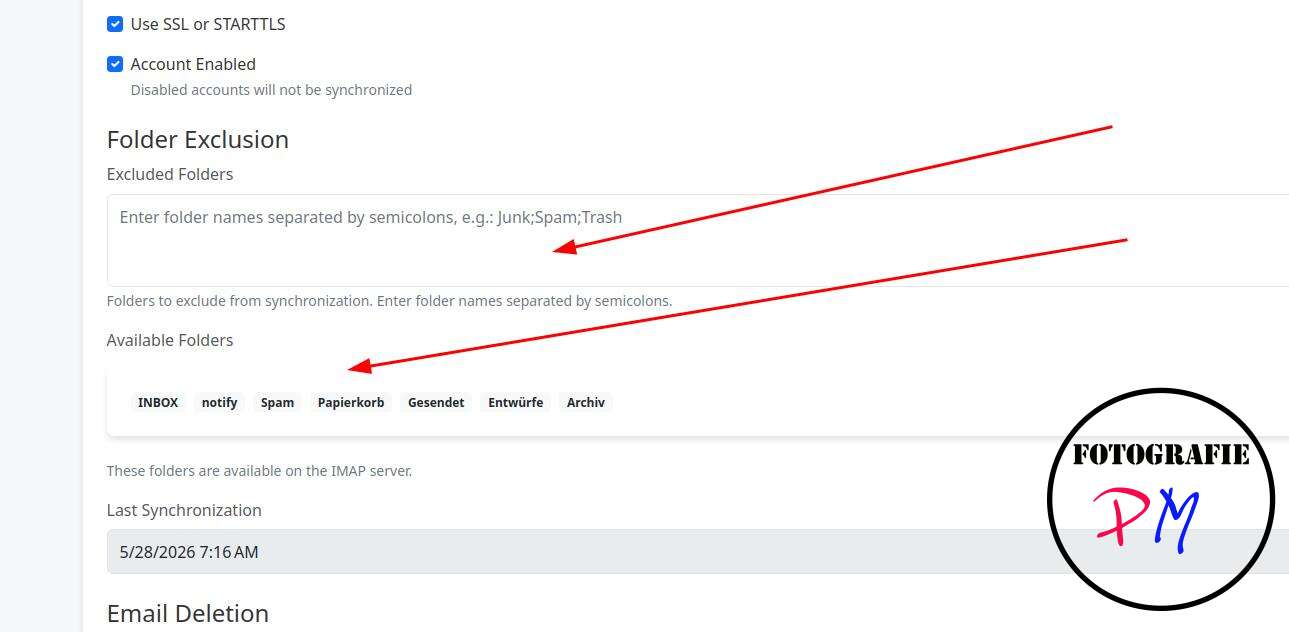
With Open Archiver, the spam folder is excluded, but the recycle bin is archived. I think that doesn’t make much sense.
Mail Archiver offers much more flexibility here: Only the folders that have been expressly selected are archived. All others remain excluded from archiving.
Conclusion
For private users, I think Mail Archiver is currently the better choice. Many settings can be made directly by the users, the operation seems a bit more comfortable overall and the restoration of e-mails is very simple.
For smaller companies, however, Open Archiver could be the more interesting solution. The storage in the file system, the checksums to ensure data integrity and the possibility of direct access to the archived files offer advantages that can be particularly relevant in the business environment.
Ultimately, the decision depends on whether the focus is more on user-friendliness or on data integrity and direct file access. However, both projects are interesting open source solutions for self-hosted email archiving.
ciao tuxoche


