ON1 Photo RAW Max 2027 – An update that disappoints a little?
Introduction and innovations

Last week came the update for ON1 Photo RAW Max 2027, to which I updated from version 2026. I downloaded the new version and just tried a few things.
Innovations include in particular the new RAW Engine in conjunction with Brilliance AI, the Auto Import, the Perfect Eraser, an AI Culling Assistant and Resize AI. Some of which are also improvements to existing functions.
But let’s take a look at the individual functions in detail.
Auto Import
First to the car import. This is actually nothing more than a monitored folder, as we know it from Lightroom, for example.

The program monitors certain folders once it is started and looks for photos that have not yet been imported. Presets can also be applied and further settings can be made. In principle, it works as you know it from Lightroom.
However, it is a function that I have not tried, because I usually import directly into the corresponding folders and into my own folder structure.
Brilliance AI and the new RAW engine
Next we come to Brilliance AI or the new RAW Engine.
You have to see that the new RAW Engine 2027 no longer has the effect that when changing the lights or shadows, other areas, such as the midtones, are also affected at the same time. This effect has been almost completely reduced.
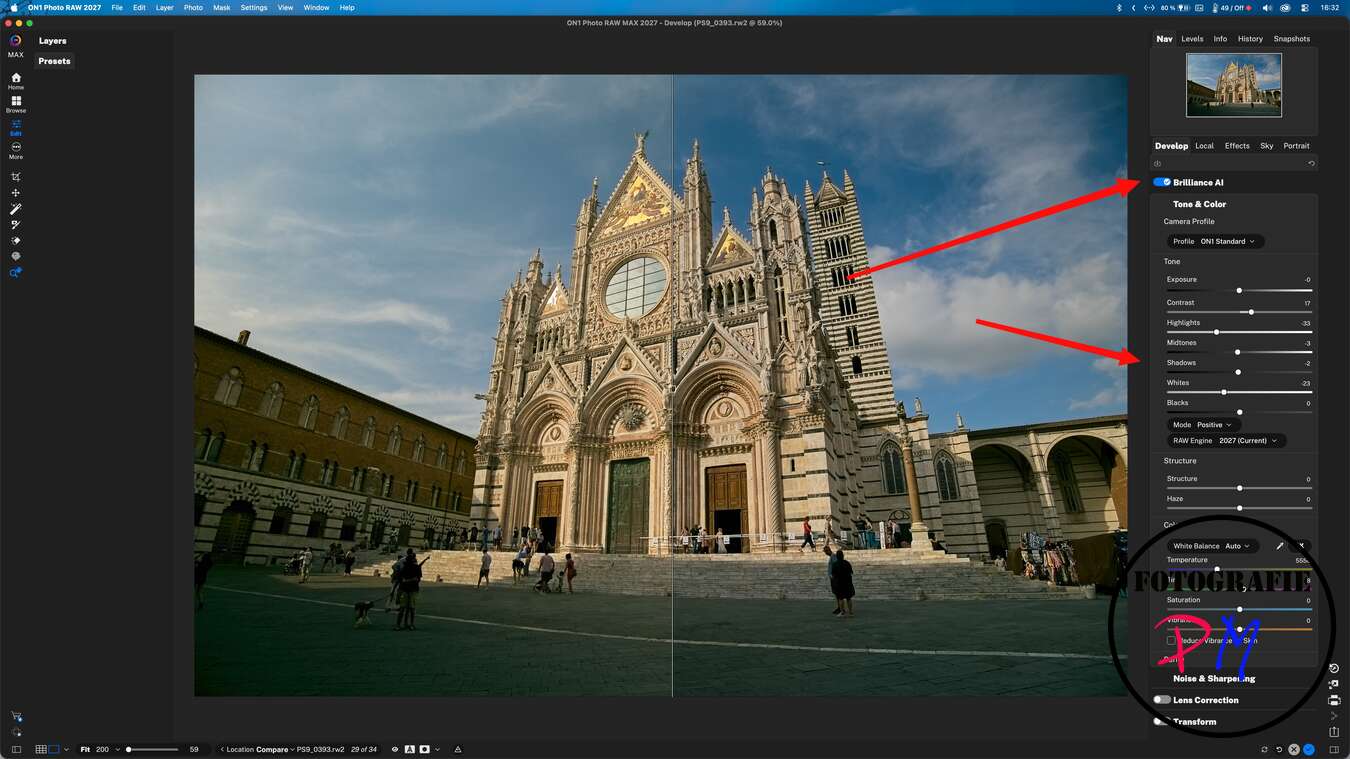
Even with average photos you get along relatively well with it.
Here I show you an example. Maybe I also selected the wrong RAW files. I show a comparison of the best result I could achieve with ON1 Photo RAW and a result that was created with the automatic development in Lightroom Classic, i.e. without using additional controls.
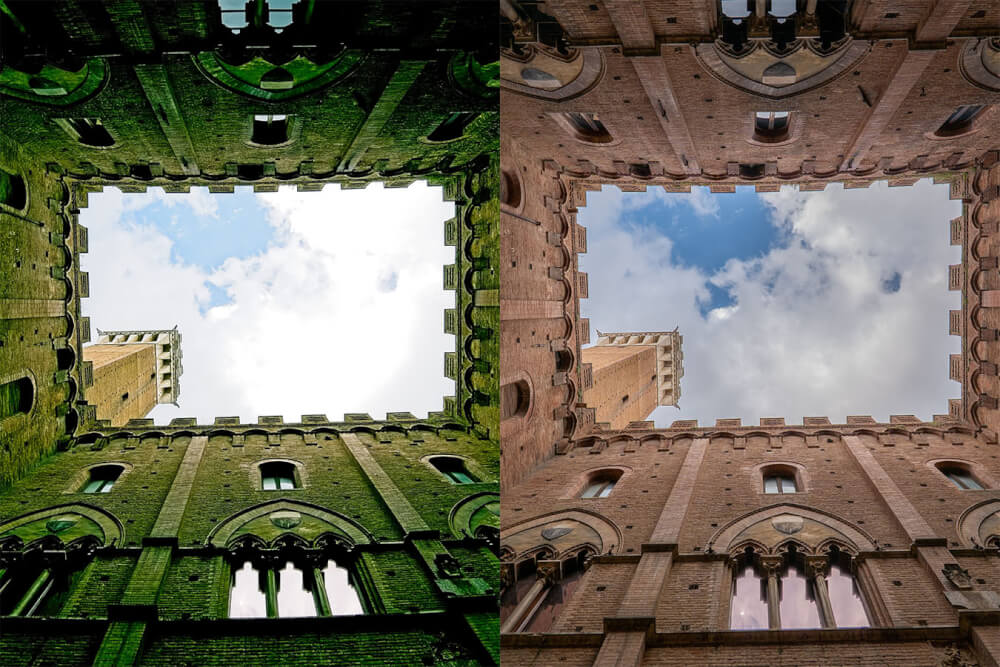
By the way, the RAW file comes from a Lumix S9.
Resize AI – Upscaling of images
This brings us to Resize AI, i.e. an upscaling function, as it is now actually offered by almost every RAW converter. Resize AI is also available as an independent app on request.
I tried Resize AI and limited myself to a reasonable framework, namely the doubling of the resolution.
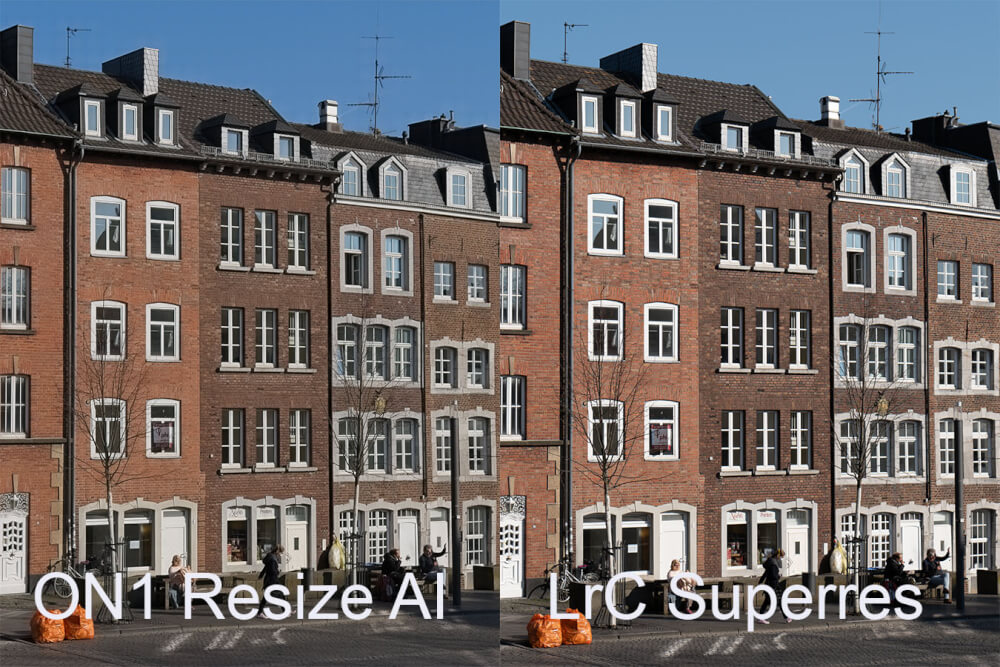
In concrete terms, this means that an image with 12,000 × 8,000 pixels is created from a photo with the Lumix S5 and a resolution of 6,000 × 4,000 pixels.
The result is quite okay and really more than usable. So when it comes to performing an upscaling, for example, because you need a higher resolution for a print, this is a very useful function.
However, the corresponding treatment with Lightroom Super Resolution still has a little more details. Especially if you look at the bricks, they look somehow smoothed in the ON1 picture.
Nevertheless, the result for a function that is directly integrated into ON1 Photo RAW is more than okay.
NoNoise AI 2027 – Noise Reduction and Resolution
Next comes the new version of NoNoise AI 2027. This promises to work out significantly more details and at the same time reduce the noise when we have recordings with high ISO values in front of us.
I used the same file for this, a small macro that I had recorded with a Lumix at ISO 51.200. I also provided this file to DXO PureRAW 6.
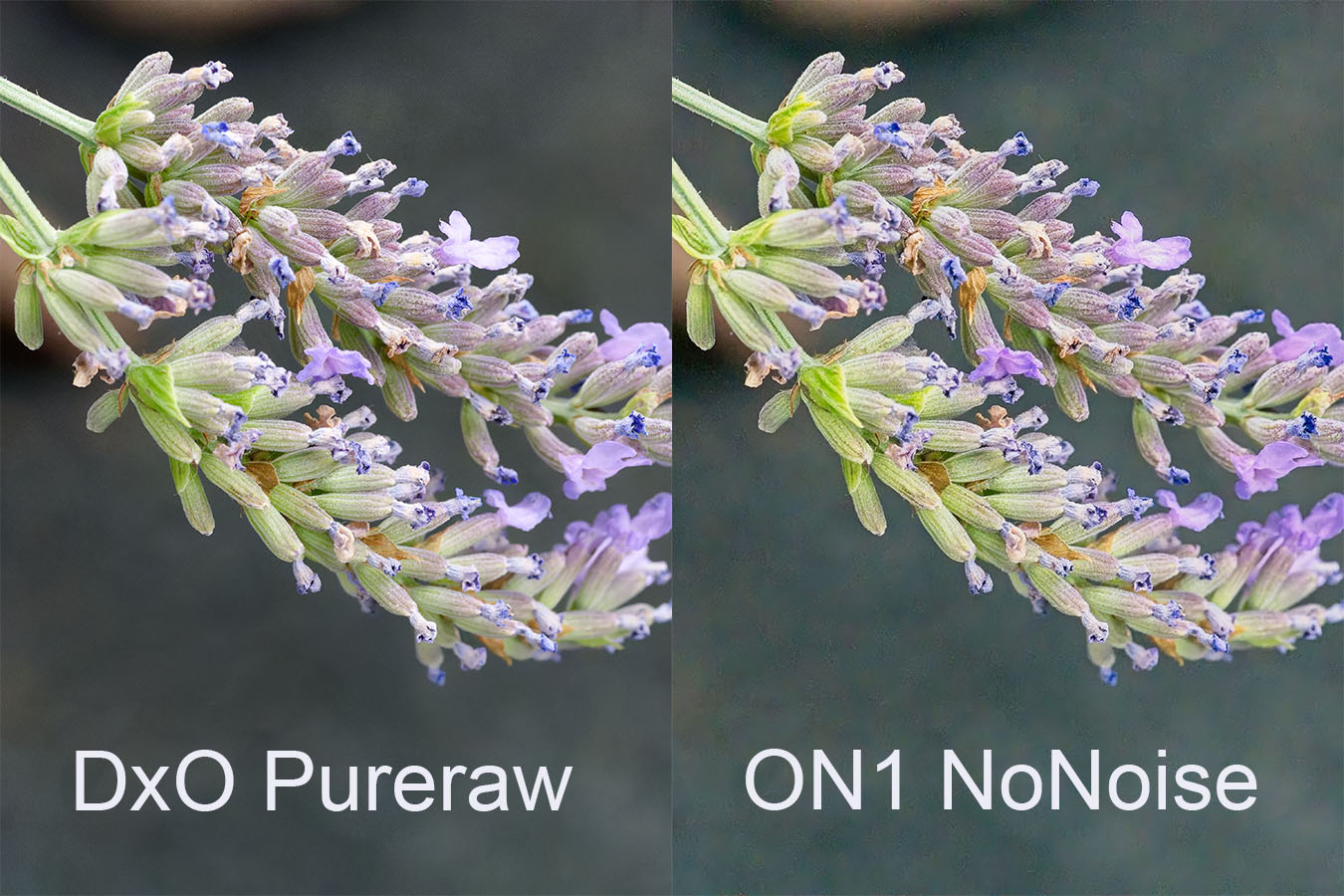
At ON1 I only ran NoNoise AI. At first glance, the result looked very good and was quite comparable to the result of DXO PureRAW.
However, if you look at the image in an image viewer – I used Photoshop for this – at 200 percent, it is especially noticeable in the blurred areas that the image structure falls apart.
Here it should be noted that this function is quite usable, but one should not overestimate its possibilities.
Perfect Eraser – Remove objects from images
Finally, we have the AI masks, which are said to have improved considerably, or the Perfect Eraser.
I tried this on a picture with a very small area. In front of a row of houses stood two really orange garbage cans, which disturbed me terribly.
That was actually exactly where I wanted to try the Perfect Eraser.
I only show the result of ON1 Photo RAW here.
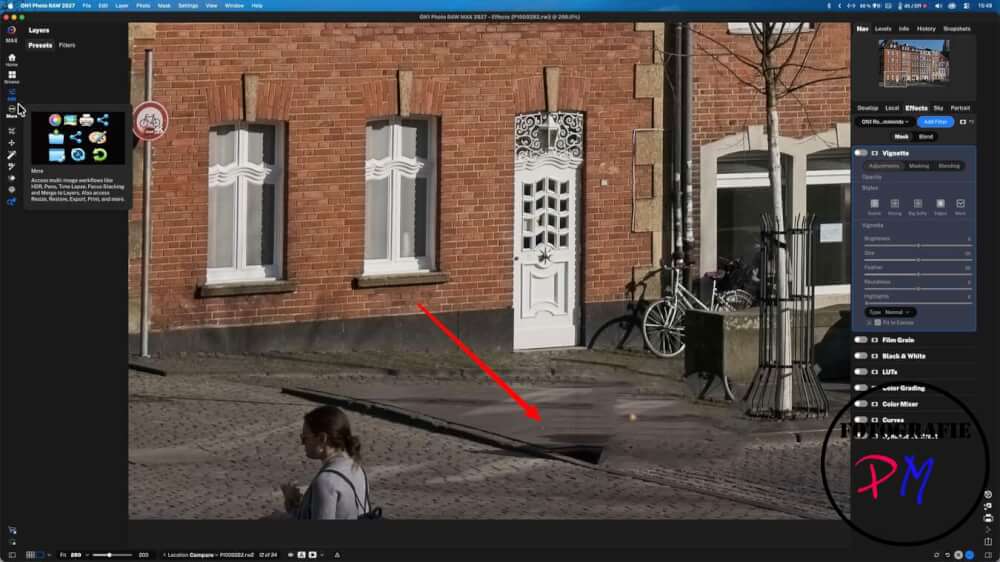
The disturbing elements were removed and replaced, but the image structure of the floor covering and the like was not convincingly adopted in contrast to the advertising elements, for example.
Overall, the image or the image area in question looks relatively unnatural at this point.
My conclusion to ON1 Photo RAW Max 2027
These are my findings so far about ON1 Photo RAW. With this performance, I don’t think the program is an alternative to Lightroom.
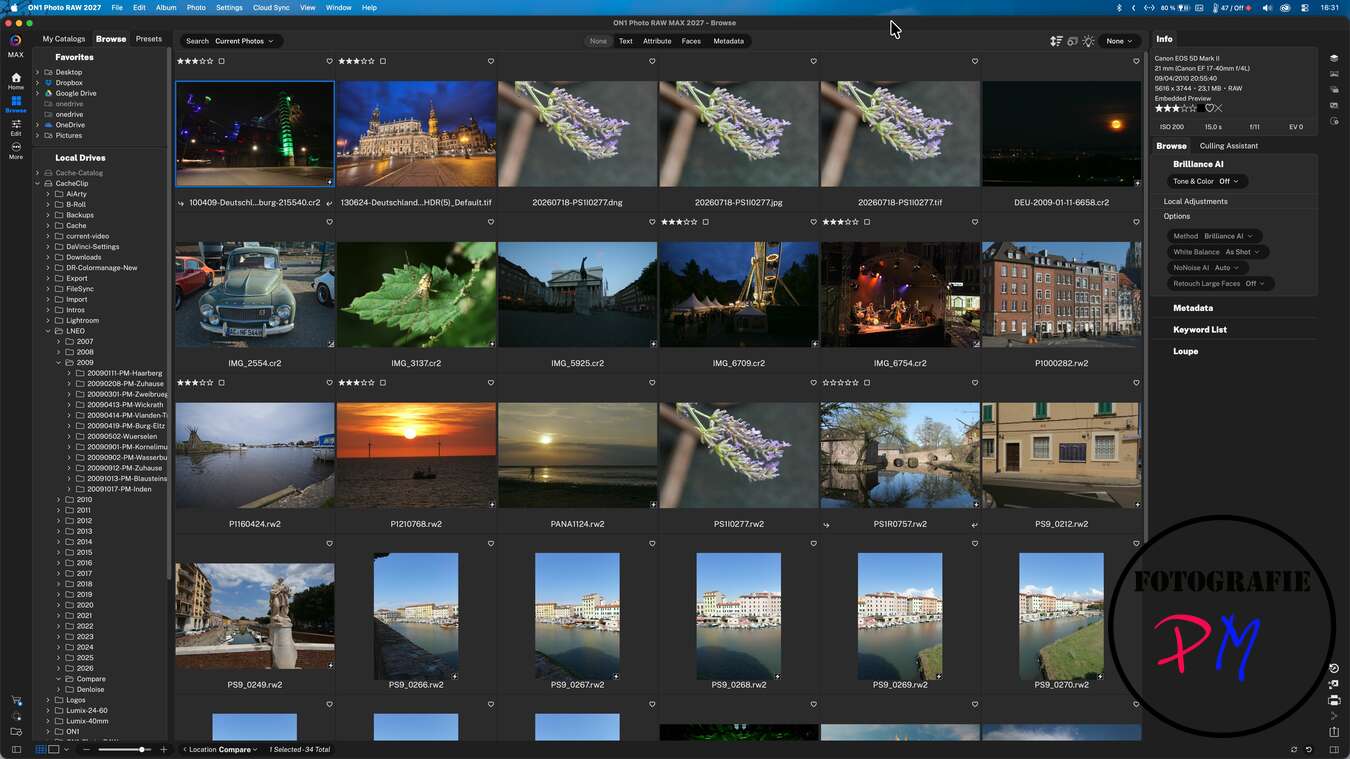
Especially since you have to keep in mind that the program even at Black Friday times costs about 140 euros. ON1 actually releases an update every year, the price of which should certainly also be in the order of 60 to 70 percent of the full version.
In my opinion, you are not too far from a Lightroom license if you buy it on typical promotional days such as Black Friday, for example.
Overall, ON1 disappointed me at this point, because some functions were highly advertised, but on closer inspection simply could not stand up to the promises.
That was also the last time I actually updated ON1 Photo RAW.
Maybe I’ll make some comparisons here and there, but overall ON1 Photo RAW is no alternative for me
ciao tuxoche


