Lightroom Classic Version 16 with new, useful features
Introduction

Adobe has updated Lightroom Classic to version 16. Unlike previous updates, this time the focus is not only on AI newones, but also on numerous practical functions that can make everyday work easier.
Let’s take a look at the most important innovations. I also recorded a video on this new version:
New filters on import
When importing photos from a memory card, camera-side labels and protective markings can now also be taken into account. For example, only protected or otherwise marked images can be imported.
My Lumix cameras at least offer the possibility to provide images with a deletion protection. However, I have not yet found a concrete use case for this new function.
Automatic deletion of development history
A particularly useful innovation concerns the Lightroom catalog.
Any change in the development module is stored in the history. If, for example, exposure, saturation and white balance are adjusted, three separate entries are already created in the history database. Extrapolated to the entire photo stock, the Lightroom catalog also grows considerably.

Years ago, I had recommended to delete the development history, especially for photos that have been edited for a long time. After all, with such recordings one will hardly want to return to previous processing states.
With Lightroom Classic 16, this process can now be automated. You can specify after which periods the history of already developed photos should be deleted. This can help to permanently reduce the size of the catalog.
New glow effect in the development module
Adobe has given the development module another effect: the glow effect.
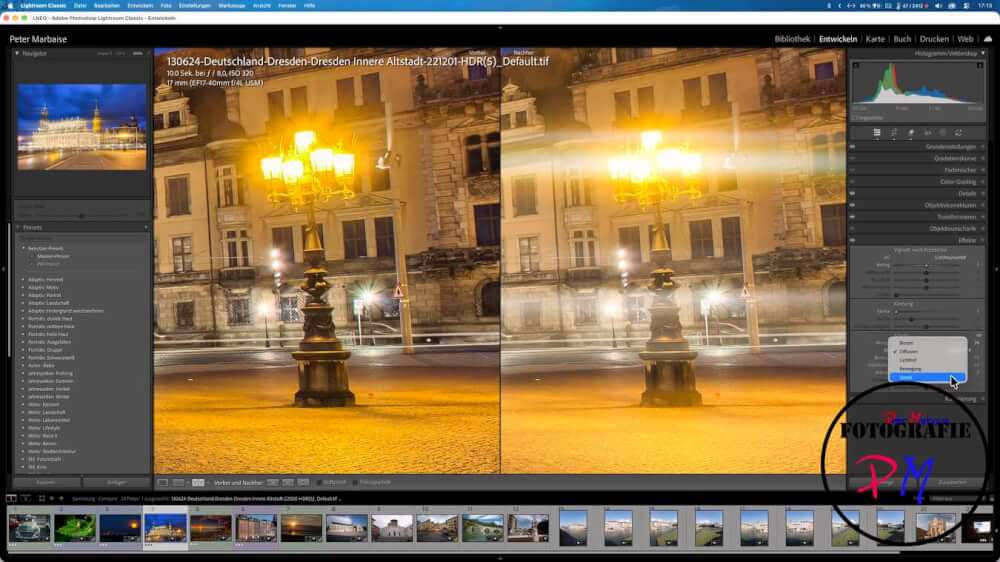
This can be used to create a luminous effect around strong light sources such as the sun or lanterns. The intensity is adjustable, and there are five different glow variants to choose from.
Depending on the motif, the image effect can be changed and amplified in a targeted manner.
Vectorscope for color control
In addition to the histogram, Lightroom can now also display a vector scope.
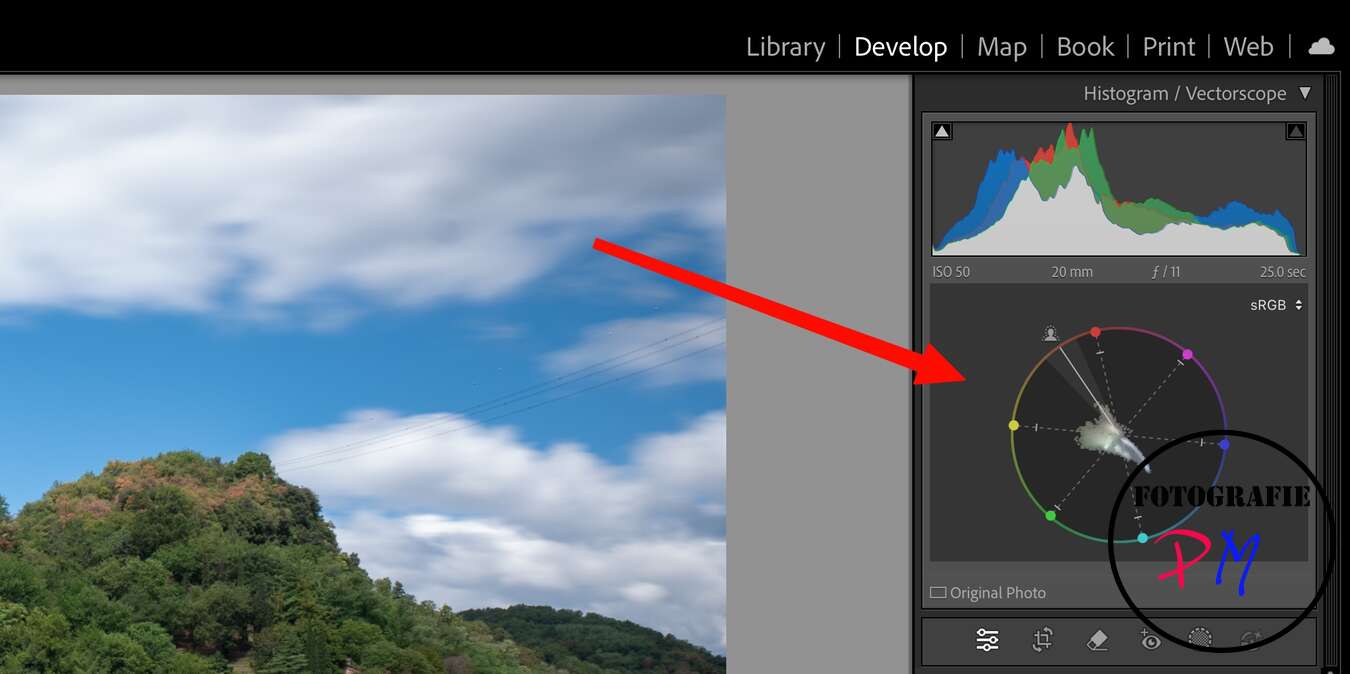
This offers an orientation, especially when assessing skin tones, and should therefore be especially interesting for portrait and wedding photographers.
Automatic removal of skin blemishes
Another innovation is the automatic removal of skin blemishes such as pimples or liver spots.
Since I don’t do portrait photography myself, I can’t show my own examples.
Display of camera-side focus points
With supported cameras, the focus points selected during recording can now be displayed in the detail module.
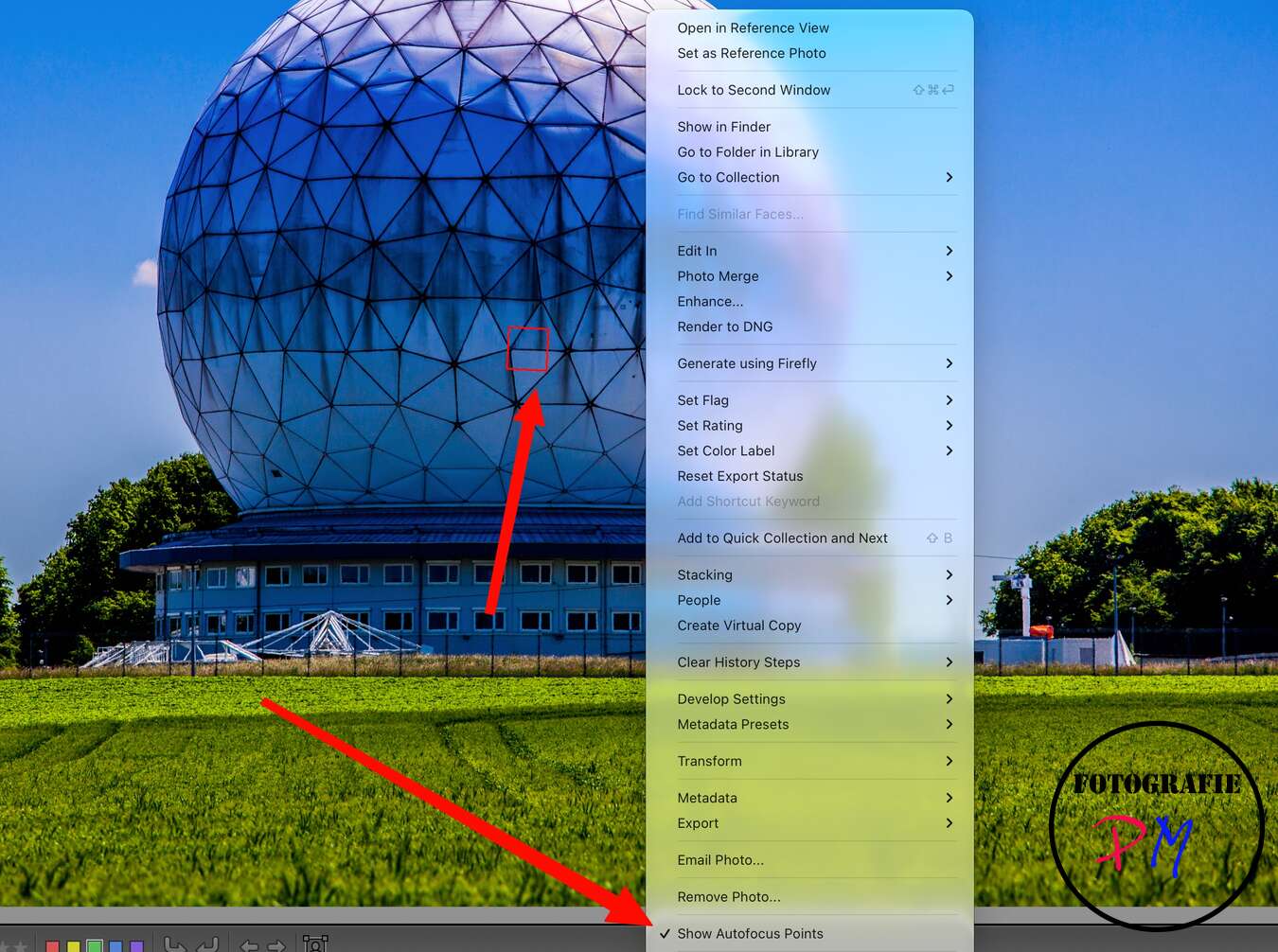
With my Lumix cameras, this does not work. On the other hand, the focus points are displayed in older Canon images. This applies both to pictures of my first Canon, the 400D, and to shots with the 5D Mark II and the 6D Mark II.
New depth masks
Like other image editing programs, e.g. DxO Photolab 10 now also offers so-called depth masks.

This allows you to mask image areas based on their focus distance to the camera. For example, you can specifically select the foreground or background and determine how far the masking should extend.
Then all known editing options for adjusting the masked areas are available.
Individual arrangement of the masking sliders
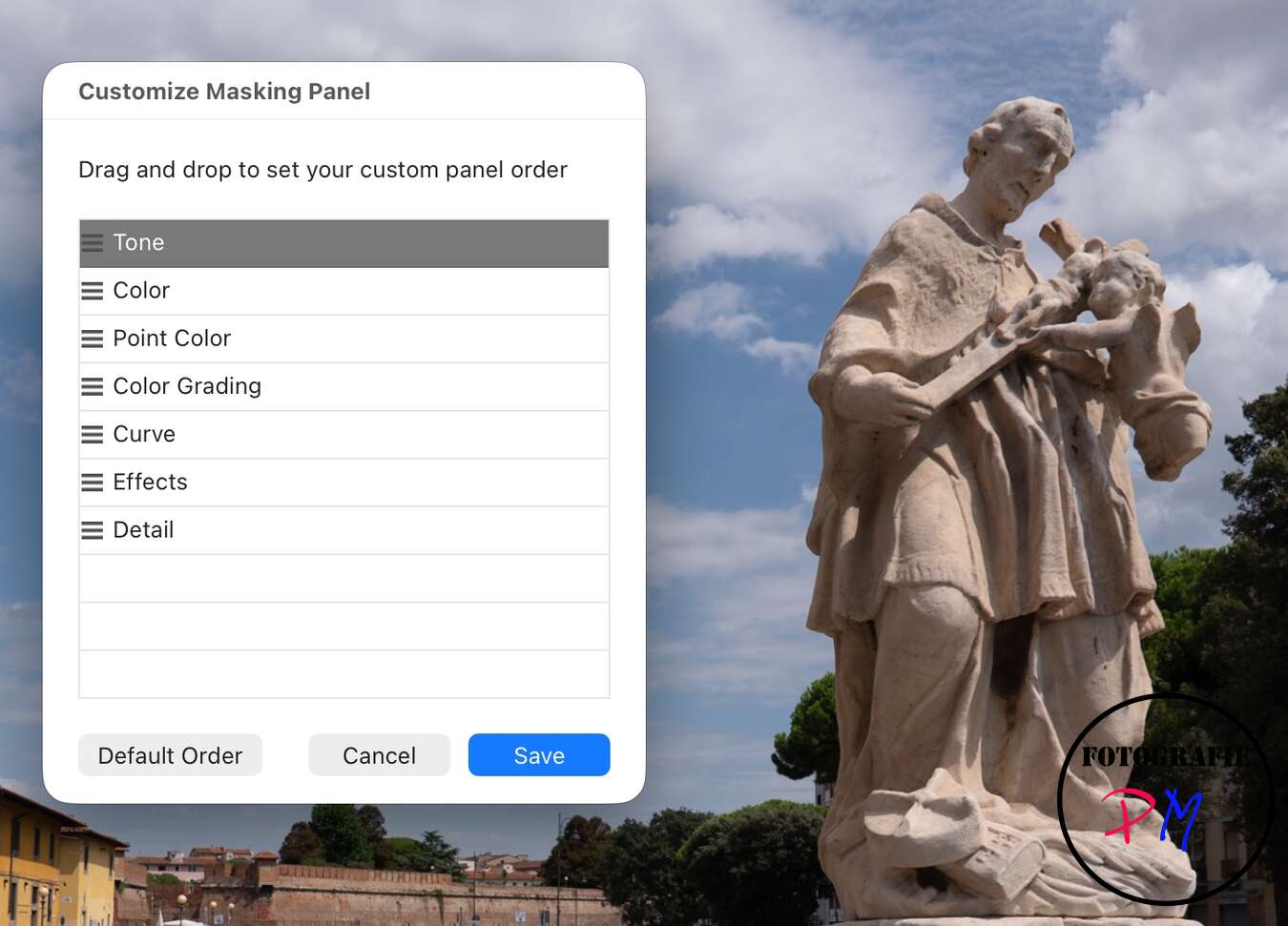
With the numerous possibilities for local image editing, the available sliders can quickly become confusing.
Adobe therefore now makes it possible to arrange the settings within the masks individually. Frequently used sliders such as exposure or color grading can be sorted upwards, less important settings can be moved further down.
This works similarly to the individual arrangement of the metadata fields.
In addition, there is apparently also a solo mode that only shows the active editing window.
Face equalization in wide-angle shots
Another function is intended to correct distortions of faces during extreme wide-angle images.
The problem is known from group shots: People at the edge of the image are often clearly distorted by the geometric projection of the wide-angle lens. The new function should be able to correct these deformations automatically.
Support for new cameras and lenses
As with any major update, Adobe has also expanded support for new cameras and
Conclusion
With Lightroom Classic 16, Adobe has relied less on AI functions this time, but has integrated numerous practical improvements.
Especially the automatic cleaning of the development history should be interesting for many users. Although the catalog as a SQLite database can also be edited in other ways, an official function within Lightroom is certainly the better solution.
ciao tuxoche


