Lightroom Classic 15.4.1 – The June update at a glance

The week before last, Adobe released the June update for Lightroom Classic , i.e. version 15.4. However, this first public version seemed to contain a major error. When I wanted to update Lightroom, version 15.4 had already disappeared and instead only Lightroom 15.3.1 was offered.
Only because of this message did I realize that Adobe itself had withdrawn the update, and thus all efforts to install the update were in vain.
A few days later, Adobe released the corrected version 15.4.1, which, in addition to bug fixes, also brings some innovations.
An adjustment of the catalog is associated with the update, so that you should make a backup here beforehand to be on the safe side.
Support for new cameras and lenses
As usual, Adobe is updating support for new camera models and lenses. This includes, among other things, the support of new cameras and other lens profiles. Particularly noteworthy is the support of the Sony 100-400 mm including the corresponding teleconverter.
New duplicate search with restrictions
The new features include the integrated duplicate search. In my tests, however, she could not convince so far. I have run the function several times over different collections and storage locations, but received no hits. In the entire catalog this was also overscahubar with almost 20 images.

This may be because Lightroom only recognizes pixel-identical images, even if they are stored in different storage locations. In comparison, Extra Search, for example, offers a much more flexible solution. There, a slider can be used to specify how similar images may be in order to be recognized as duplicates.
In this way, it is also possible to find images that were created with almost identical image section or only slightly changed exposure. I will continue to monitor the development of this function, but currently I do not consider it to be the big breakthrough.
Improved person and subject recognition
In addition to the person search, which I personally hardly use due to the use of Extra Search, the masking in particular has been significantly improved.

Above all, the subject selection now works much more precisely than in previous versions. In my tests, the actual motif was recognized and released much more precisely.
Precise sky and object masks
Other masking functions also have improved accuracy. For example, the sky is now recognized more cleanly, without small disturbing elements such as chimneys, branches or fine structures of trees so strongly influence the selection.
The new subject selection works very precisely overall and significantly reduces the need for manual post-corrections.
New AI metadata for search and smart collections
Matching the increasing AI features in Lightroom, there are now additional metadata fields that can also be used in smart collections.
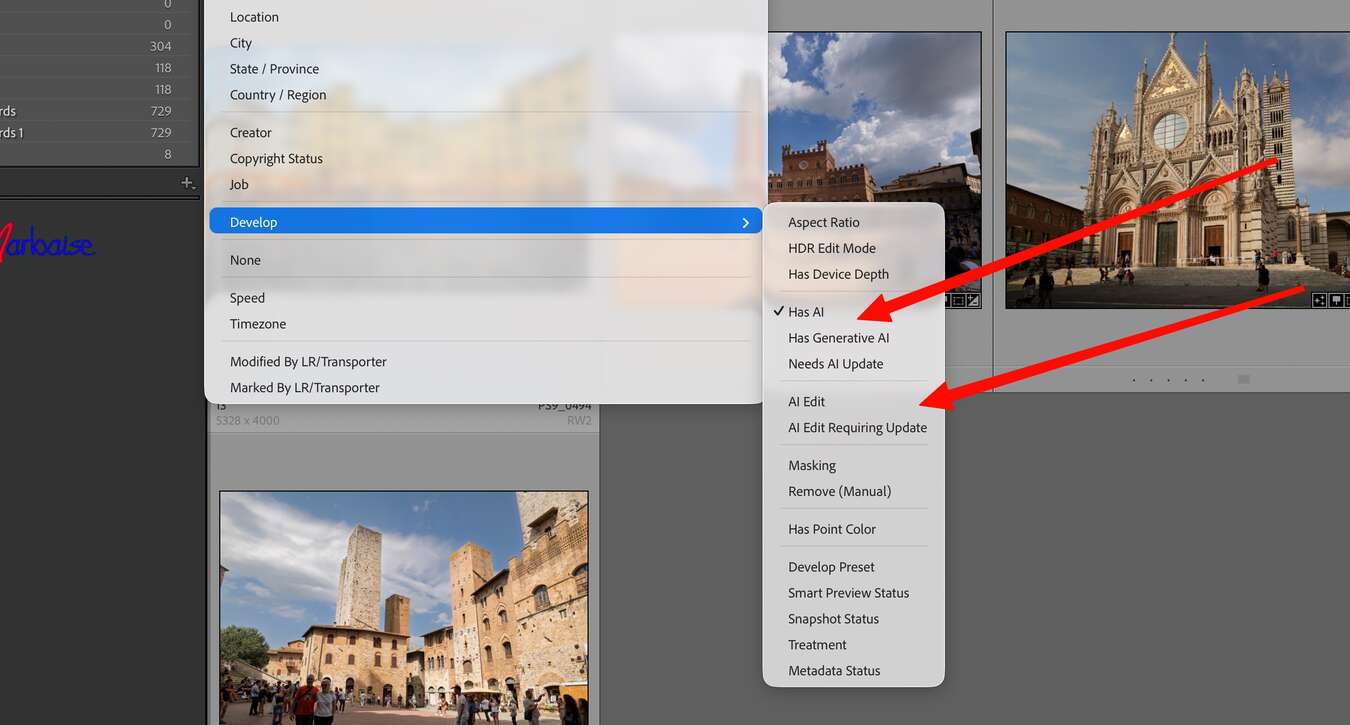
For example, photos can be found:
- which have been edited with AI functions,
- whose AI editing needs to be updated,
- or that contain specific AI-supported editing steps.
This extension is a logical step to efficiently manage larger image collections and quickly find photos with AI editing.
Improvements in keyword synchronization
I couldn’t test the new tethering function for Canon cameras myself. However, the synchronization of keywords between Lightroom Classic, Lightroom Desktop and the mobile applications stood out. However, this must be enabled in the settings.
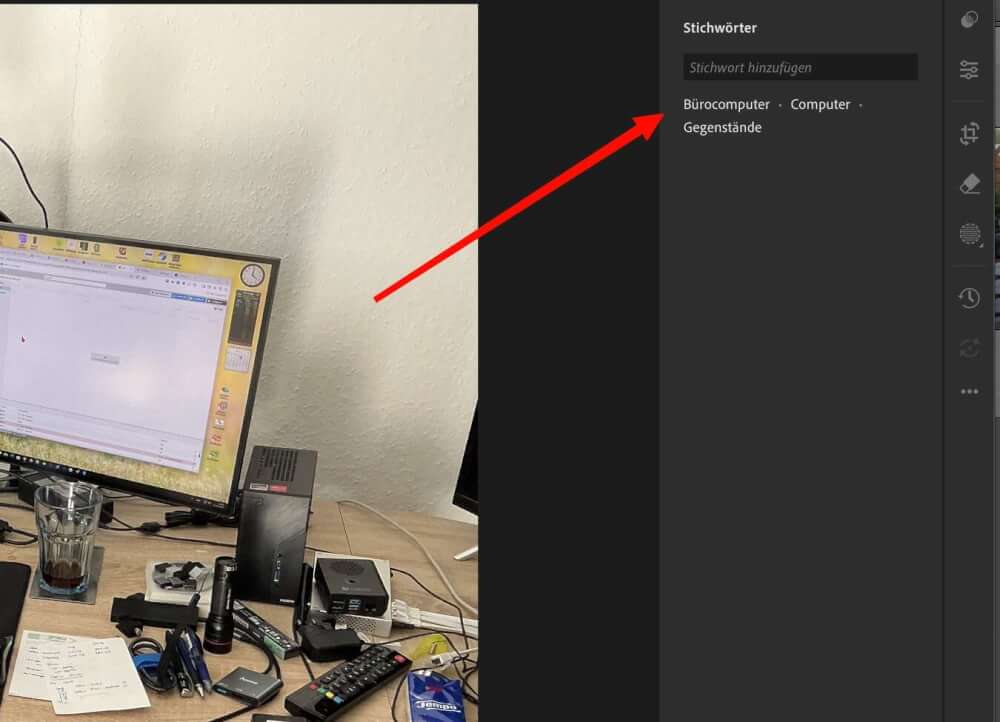
However, there is still a restriction: Hierarchical keywords are not adopted. Instead, they are transmitted in Lightroom Desktop and on mobile devices as flat keyword lists.
Conclusion
With Lightroom Classic 15.4.1, Adobe mainly delivers improvements to AI-powered masking tools and expands the possibilities for managing AI editing. The much more precise subject recognition is one of the strongest innovations of the update.
The new duplicate search, on the other hand, currently still seems quite limited, since it apparently only recognizes exactly identical files. If you want to search for similar images, specialized solutions such as Excire Search are currently better served.
ciao tuxoche


