Luminar Neo 1.27.1: Import Lightroom catalogs now – A first practical test
Shortly before the start of summer sales, Skylum released Luminar NEO in version 1.27.1. Although it is a subversion, this version comes with a new feature, the import of Lightroom catalogs.
Introduction

With version 1.27.1, Luminar Neo expands its range of functions with a long-awaited feature: the import of Lightroom catalogs. The function is currently still in the beta stage, but already makes it much easier to switch from Adobe Lightroom to Luminar Neo than before. But how well does the import work in practice?
But I also recorded a video:
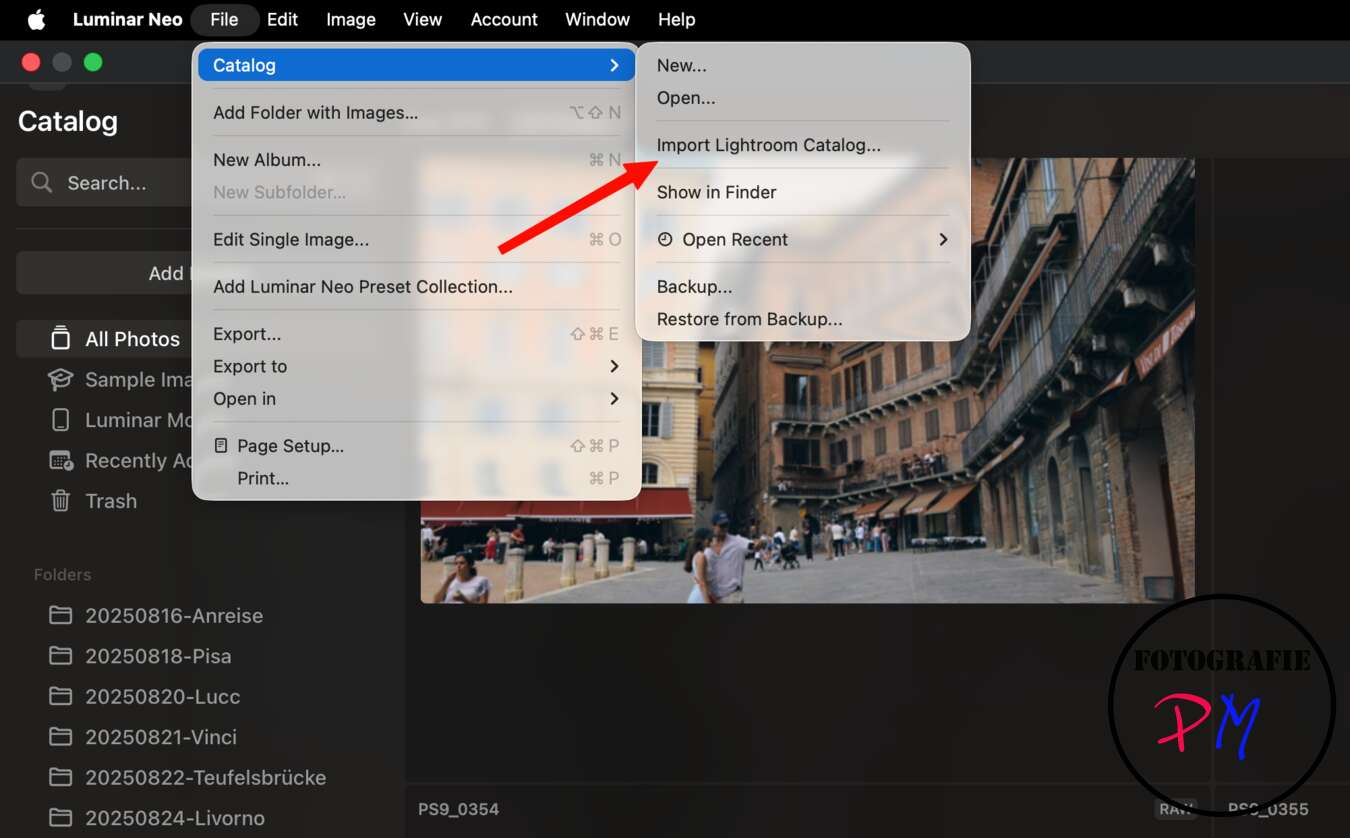
Importing Lightroom catalogs into Luminar Neo
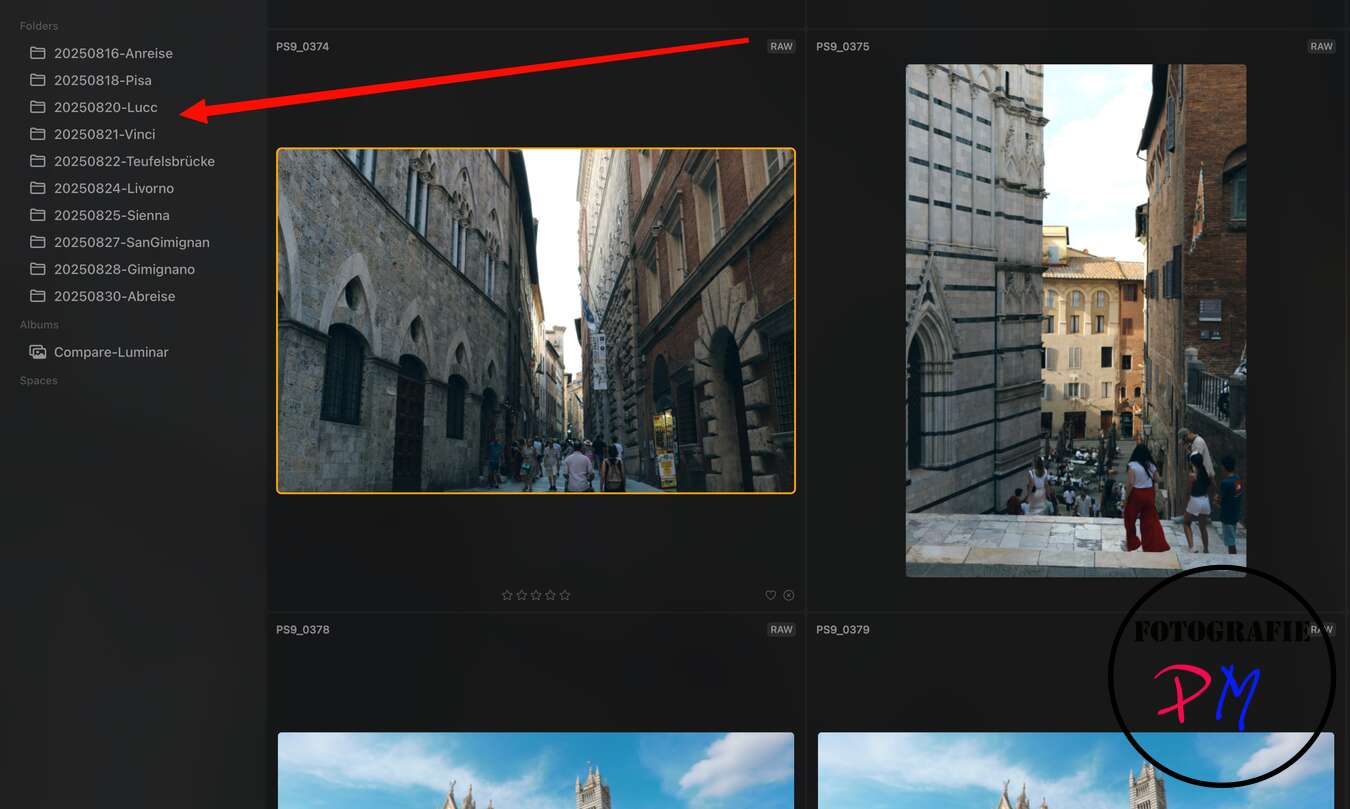
The import of a Lightroom catalog was surprisingly fast and reliable in the test. Although no catalog with several tens of thousands of images was used, the new function was already in a pleasantly stable condition. After reading in, the photos were taken over correctly and the existing folder structure was preserved. Normal Lightroom collections have also been successfully imported.
Which Lightroom data is taken?
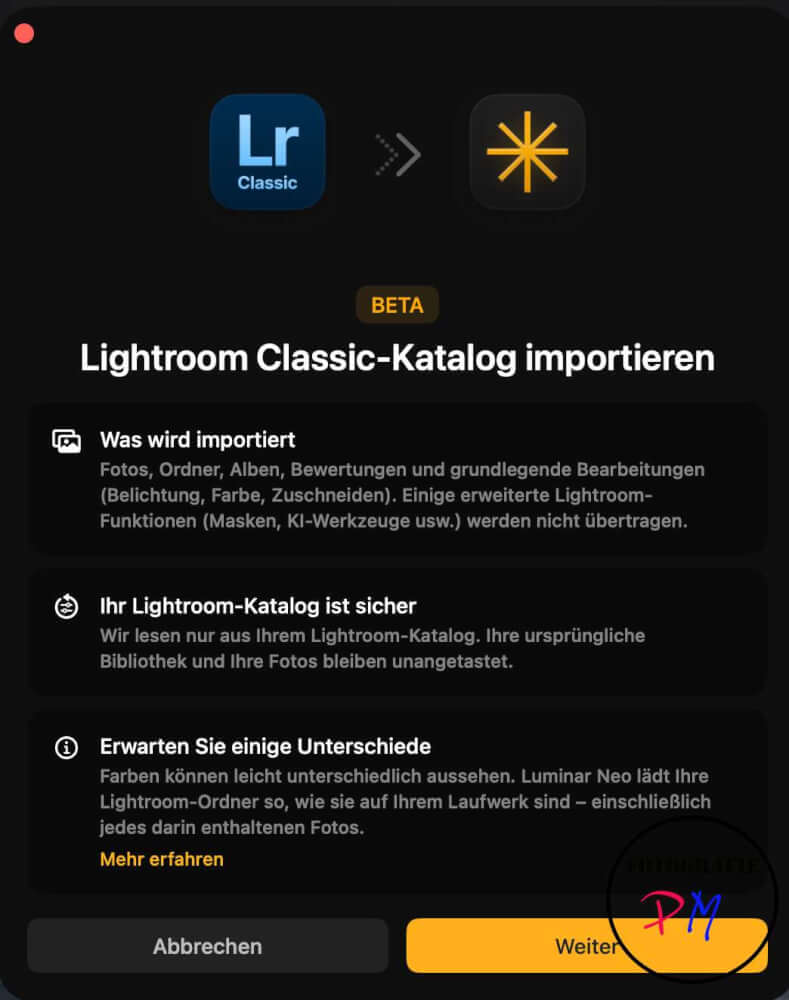
According to the notes on the beta version, mainly basic information is currently being transmitted. These include:
* Photos and locations
* Folder structures
* Albums and Collections
* Basic processing such as exposure, white balance, lights and shadows
In the test, the corresponding development parameters from Lightroom were actually adopted. However, it should be noted that editing values between different RAW converters are not standardized. An identical value for saturation or contrast can therefore lead to slightly different results in different programs.
Remits of the current beta version
Despite the overall positive results, there are still restrictions. More complex Lightroom features are not currently transferred. These include in particular:
* Masking
* AI-powered selection tools
* Perspective and geometry corrections
* Special architectural corrections

Who is the update worth it for?
Whether these functions will be fully supported in the future remains to be seen. Therefore, photographers who use extensive local customizations or complex masking may continue to require rework.
The new import function should appeal above all to users who are considering switching from Lightroom to Luminar Neo. Those who work predominantly with basic development settings already receive a solid basis for migration.
Especially interesting is the feature for users of older Lightroom versions who do not want to use a current Adobe subscription and are looking for an alternative. In these cases, the transfer is already surprisingly comfortable today.
Conclusion
With Lightroom catalog import, Luminar Neo 1.27.1 takes an important step towards professional photo management. Although the function is still marked as beta, it already works surprisingly reliably. Folders, collections, and basic edits are successfully transferred, making switching from Lightroom much easier.
For photographers with simple to medium processing workflows, Luminar Neo could become an attractive alternative. However, if you rely heavily on masking and complex Lightroom tools, you should continue to observe the development of the function in the upcoming versions.
With the code TUXOCHE20 you can get a 20% discount if you order via this link. You can also download a trial version, for example.
ciao tuxoche


