RapidRaw almost mature?
After the first try-out in August last year, it was actually time to take a look at RapidRAW in the latest version.
Introduction
After almost a year it was time to look at RapidRAW in the latest version – a program I already reported on last year. At the time, RapidRAW was celebrated as a Lightroom clone and also hyped. Mainly because the external appearance of the program is strongly reminiscent of Lightroom and the development took place within a very short time, namely in less than two months.
I looked at the current version and the program is still available for Windows, macOS and Linux.
I also recorded a video:
Installation and surface
The installation is very simple. The user interface has also received some additions, for example in the settings, which can now be adjusted in more detail.
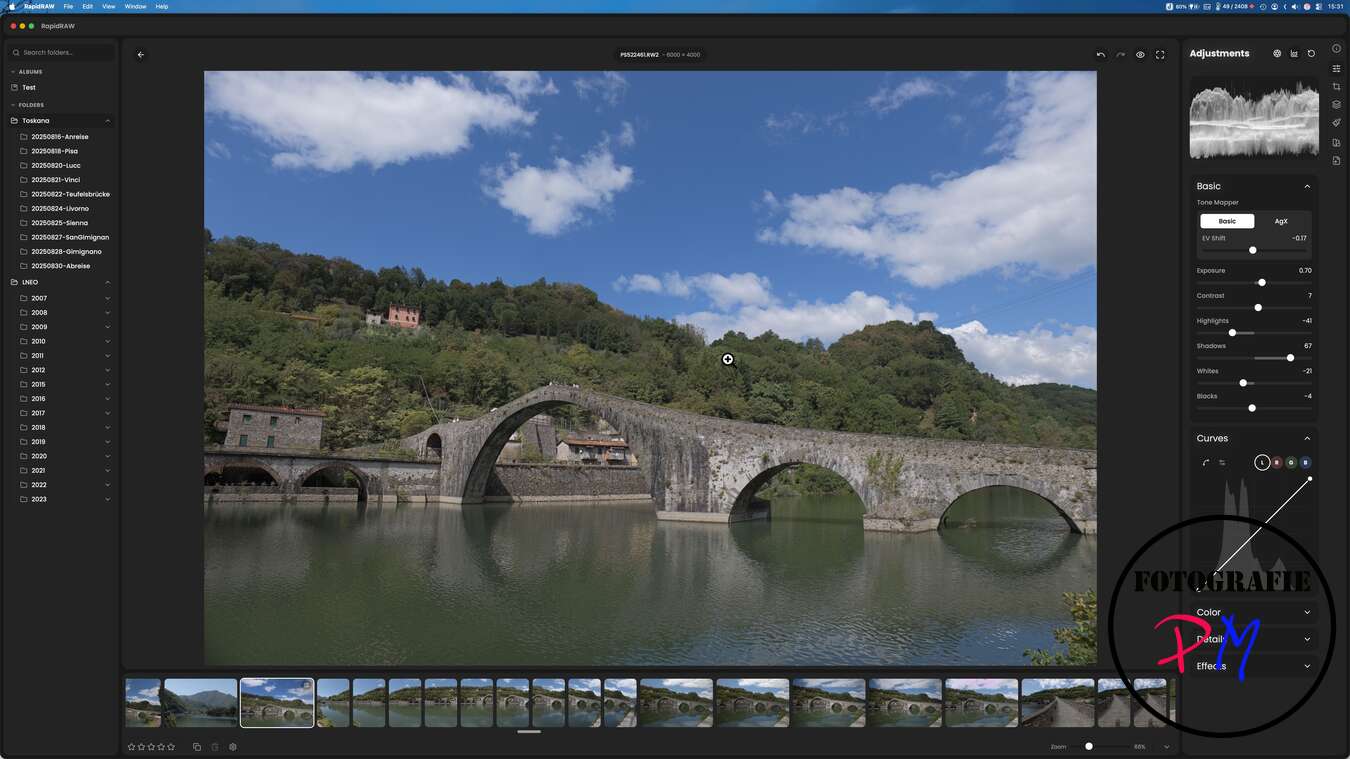
If you call up a folder, the files are read and now also presented in a grid overview. As a result, you no longer have to open each individual subfolder to determine which images are in it.
AI support
I personally did not install the AI support with ComfyUI because it caused me problems. However, if necessary, the corresponding functions can also be replaced more slowly via CPU or GPU.
Functions of RAW development
RapidRAW actually offers everything you need for a RAW development. Starting with simple adjustments such as:
* Exposure
* White balance
* Contrast
* further basic image corrections
In addition, there are masking functions with which image areas such as:
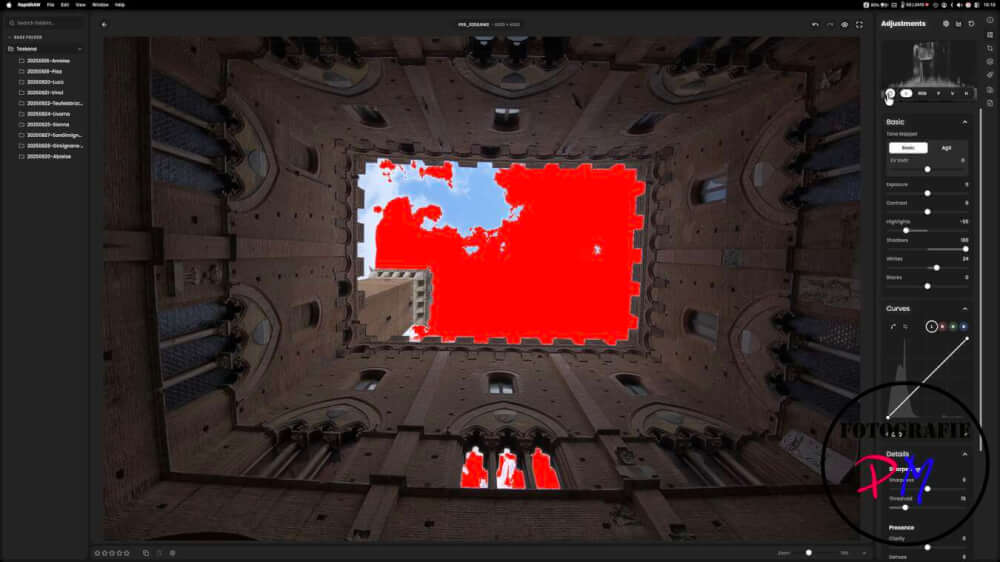
* the main motif,
* the sky
* or other parts of the picture
can be marked and edited separately from each other.
Problems found
However, two problems were noticed when trying it out.
1. Caching and CPU utilization
The caching of the read files apparently does not work optimally yet. Although the reading is faster after restarting the program, it still leads to a not insignificant CPU load.
There is a need for further optimization here, so that the CPU is not so heavily used at every start. Especially with laptops, this is an important point.
2. Panorama function
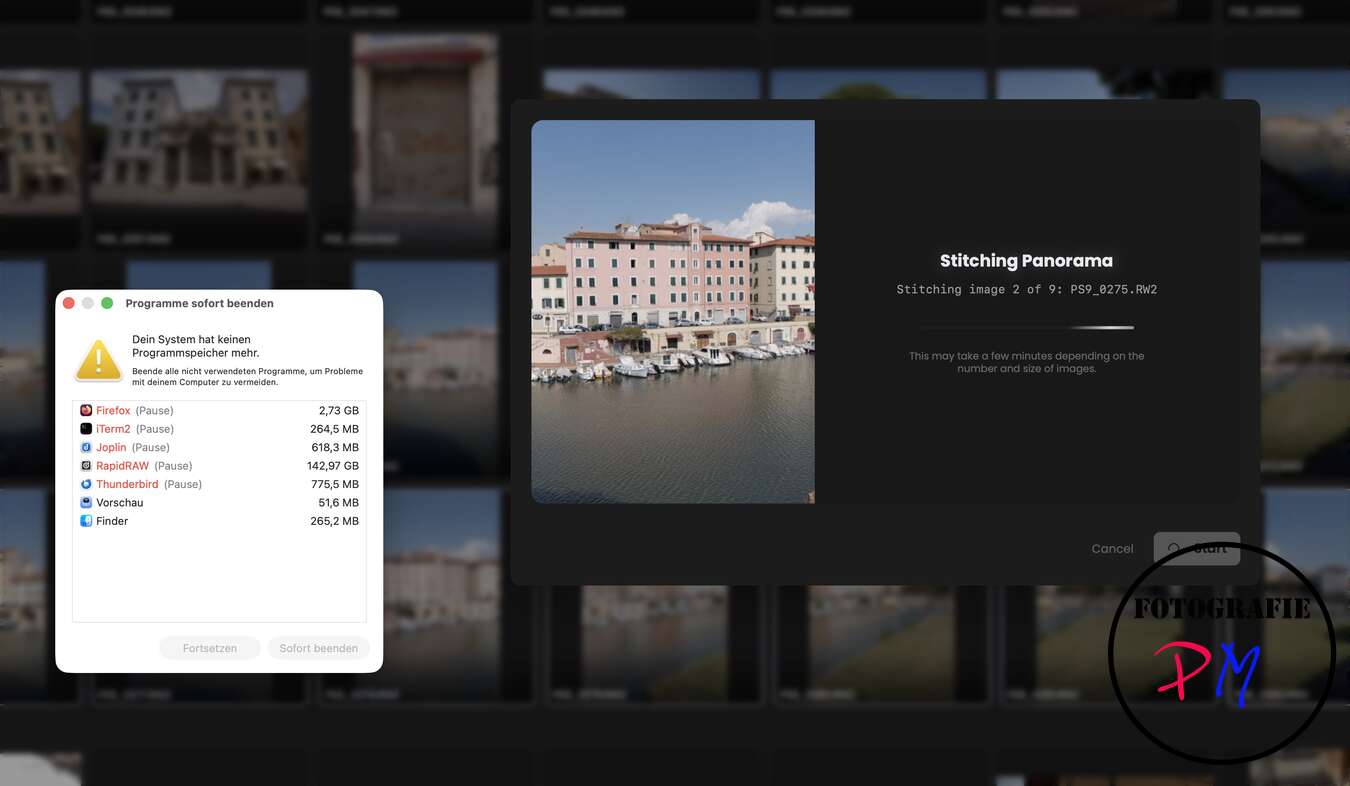
I was very pleased to see that things like merging photos to a panorama or an HDR have also been implmented in the meantime. I then tried the panorama function with a series of a total of 9 pictures from the Lumix S9 once.
However, RapidRAW did not get stuck there, but the MacBook Preo sorted out for a crash as a whole. This seems to give it to a memory error because instead MacOS reported, since all apps allowed themselves more GB to Speiucher than was ever available.
I did not try again with the HDR function.
Restrictions on RAW development
Another problem is with the actual RAW development. Presumably this is also related to the fact that apparently only the JPEG preview is displayed and not the real RAW development.
Compared to Lightroom, the scope for editing shadows and highlights is much smaller than you would normally expect from a regular RAW file.
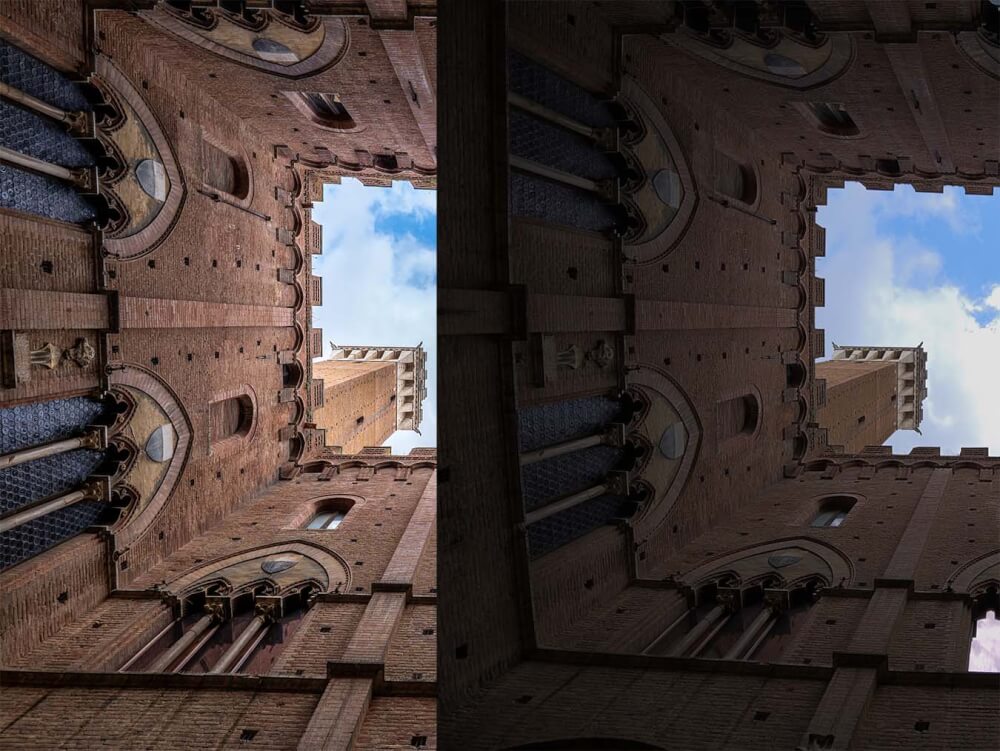
An example is a recording in which the clouds in the image developed with RapidRAW burn out almost completely, while the shadows remain relatively dark at the same time. In comparison, developing the same file in Lightroom shows a much more balanced result.
I have already noticed this problem of limited RAW development in a similar form when presenting the Lumix Lab App with RAW support. Again, in the RAW editing, if I now only look at the possible results that are possible by reducing the highlights and lightening the shadows, the result was very far from what I can achieve, for example, with the Lightroom app on the same device.
Conclusion
RapidRAW is on the right track, but the developer should perhaps first eliminate the existing problems before further features are added. For simpler RAW editing, the program is sufficient every time and it is positive that it is available for all formats, which is unfortunately not self-evident.
It is very positive that the program is now also available in other languages and e.g. albums can be created. With this, RapidRAW almost grows up and is definitely worth a look.
ciao tuxoche


