Autumn update from Skylum Luminar 1.29
A good month ago, Skylum released version 1.28, which brought a whopping performance gain in editing. Now the autumn update is here with new and improved features.
Read more: Autumn update from Skylum Luminar 1.29
With today, Luminar will be introduced in version 1.2.9, and I had the opportunity to try out the beta a few days before. This was provided to me by Skylum. That’s why I also mark this post as advertising.
If you prefer videos, you can also watch my corresponding video. You can find it under the following link.
With the new features that have been added with version 1.29, it is especially noticeable above all that you can now not only order printouts from a supplier via the export button, but also print them yourself directly from Luminar. This is a nice feature that Luminar has actually lacked so far. Here you can determine the size; if necessary, continue via the printer dialog.
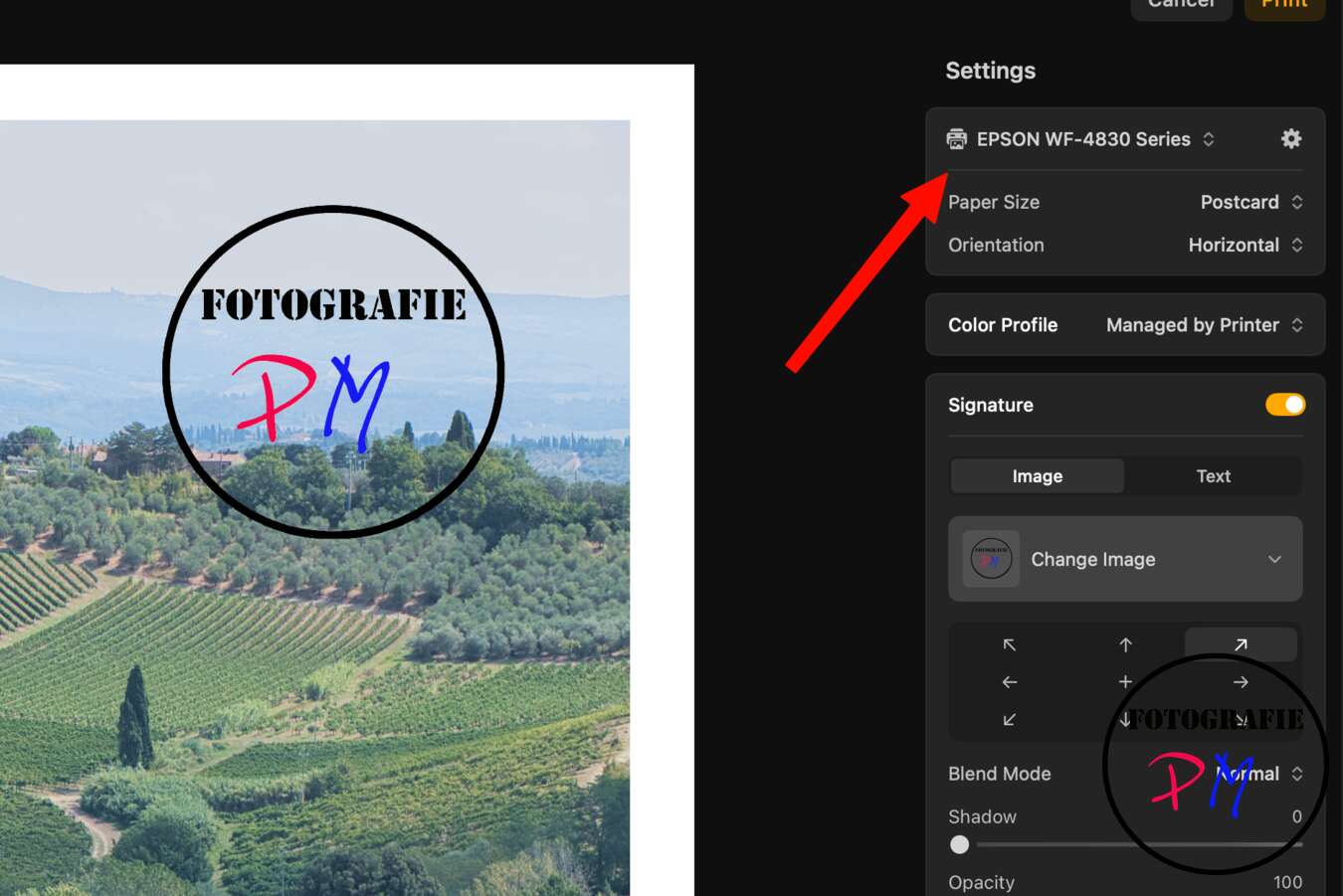
Both this dialog and the export dialog for JPEG or TIFF files now contain another innovation: You can add a signature to the image, either in the form of a graphic or a text. This can be placed anywhere in the image and is of course also exported. This was apparently a frequently requested function.
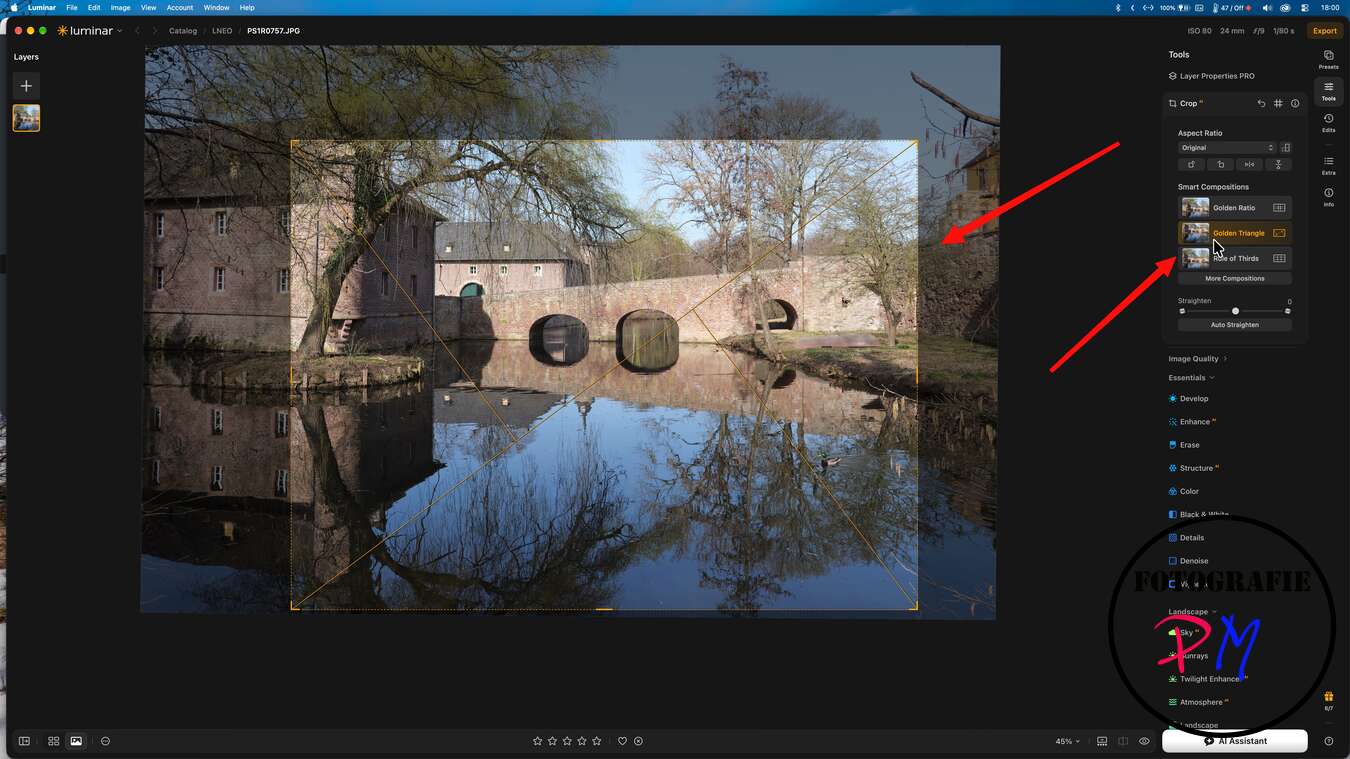
In addition, there is an improved version of the – I now call it new German – “intelligent compositions” in the trimming tool. The function can make suggestions for a picture crop and takes into account the usual design rules, for example the golden cut or triangular compositions. Of course, you don’t have to follow these rules, but they can be helpful as a guide for your own ideas.
In addition, the “improve” function has been revised. Apparently it is no longer so easy to turn up the regulator too far. I tried a lot, but I didn’t manage to overturn the slider or apply too much effect. The app seems to limit or correct this accordingly. This is certainly a useful feature to prevent images from being overedited.
But also the Atmospere AI has been improved. With the help of this function you can conjure up fog in your images. Of course, how well this fits, or how credible the effect is afterwards, depends essentially on the basic motif.
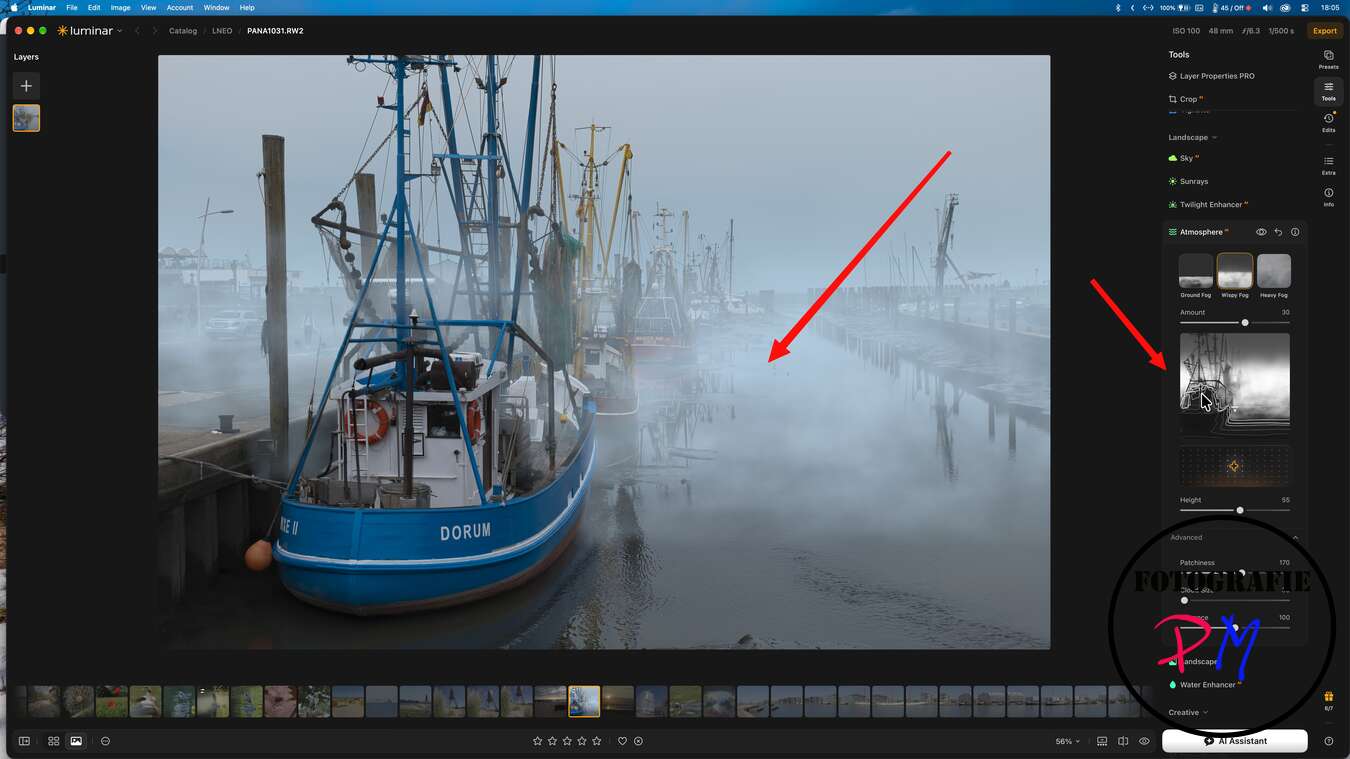
Finally, AI support should ensure that the results appear more natural and that the specifications can be better implemented. However, I could not prove this objectively, because the result of course always depends on the motive and above all on a clear formulation of the prompt, i.e. the invitation to the program to do something specific.
Culsingly, Skylum has improved the connection to Luminar Mobile. A two-way synchronization was set up. This means that editing steps on the desktop are also synchronized with the Luminar mobile app – and vice versa.
You can see: With this autumn update, a lot has happened, and in the right direction. Together with the general stability and above all speed improvements of the last Version Luminar is slowly becoming a round thing.
You can order Luminar via the following link. This does not make it more expensive for you, but the channel gets a few percent, so that content can continue to be produced here. There are different options from 99,– to 139,– €.
That was my little review of Luminar 1.29 and maybe you’ll let me know in the comments what you think about it.
ciao tuxoche


