OPNSense Migration to DSNMasq and changing the IP adress range
I had this on the agenda for a long time, but kept putting it off in front of me, freely according to the method “Never change a running system”. But a few days ago it was sweet 🙂
The choice of the future DHCP server

As you know, OPNsense has a total of four DHCP solutions: ISC DHCP, Kea, DHCP Relay and dnsmasq.
I had set up ISC so far, because it was standard at the time of the installation of my OPNSense. By the way, this runs as a virtual machine on a Proxmox server. However, ISC DHCP has now reached its end of life and is no longer provided with security updates. That’s why I had to decide which DHCP server I wanted to use in the future.
The Kea alternative is probably more designed for larger environments with thousands or even more users and thus far exceeds my requirements in the Homelab. Thus, ultimately the standard DHCP server remains dnsmasq.
Migration of static DHCP assignments
I had defined some devices with static IP addresses under ISC DHCP. They should continue to receive their fixed IP addresses so that I can address them via DNS names, for example, and access the corresponding servers.

For this project, ISC DHCP offers the export of static DHCP assignments. Both the IP addresses and the mainly important MAC addresses, on the basis of which the DHCP assignments are made, are exported to a CSV file. This file can then be imported into dnsmasq.
However, I had another requirement added: I wanted to change the IP address range of my LAN segment. This was historically in the net 192.168.178.0/24.
With this address range I always had difficulties with VPN connections, as it is also the default address range of many FRITZ! Boxing is. This can lead to overlaps with networks in which I dial in via VPN.
Preparing the migration
So there was a migration from the ISC-DHCP server to dnsmasq, associated with a simultaneous change of the IP address range for all devices.
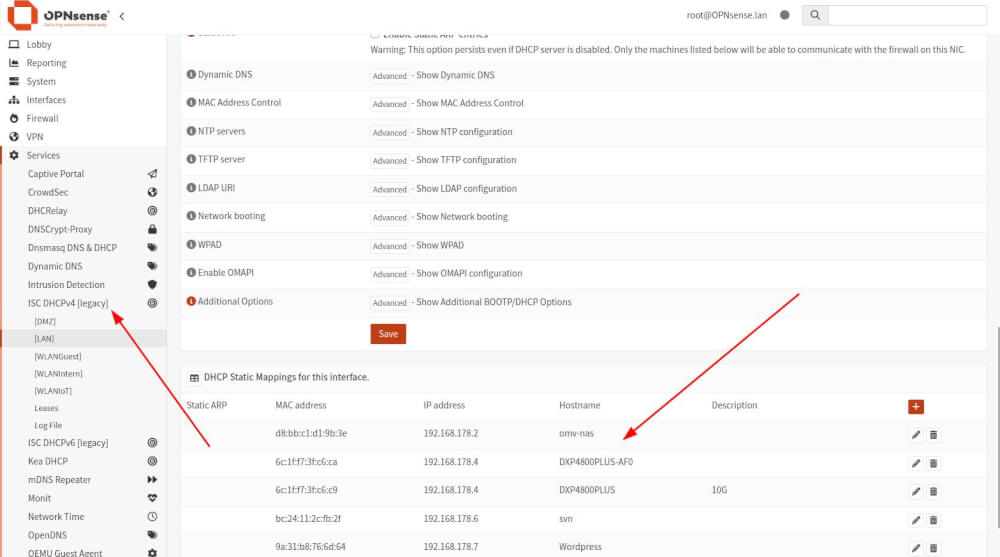
I tackled this project a few days ago. First, I adapted the CSV file from ISC DHCP and replaced the third octet of the IP addresses, so that I am no longer in the typical standard address range, which is for example at FRITZ! Boxes are used.
However, before I changed the IP address of OPNsense itself and especially that of the Proxmox server on which OPNsense runs as a virtual machine, I first set up an additional backup IP address on a free LAN port.
I wanted to make sure that I could continue to access the graphical interface of OPNsense in an emergency.
Then I connected a laptop directly to this backup address. At the same time, I could continue to connect to the Proxmox interface with a normal PC from the LAN.
Change IP addresses and restart
After that, I changed the IP address of OPNsense, which of course meant that the previous connection was interrupted.
Sequently, the restart of the entire system, including the Proxmox server, was still to be restarted. I had previously adjusted its IP address accordingly.
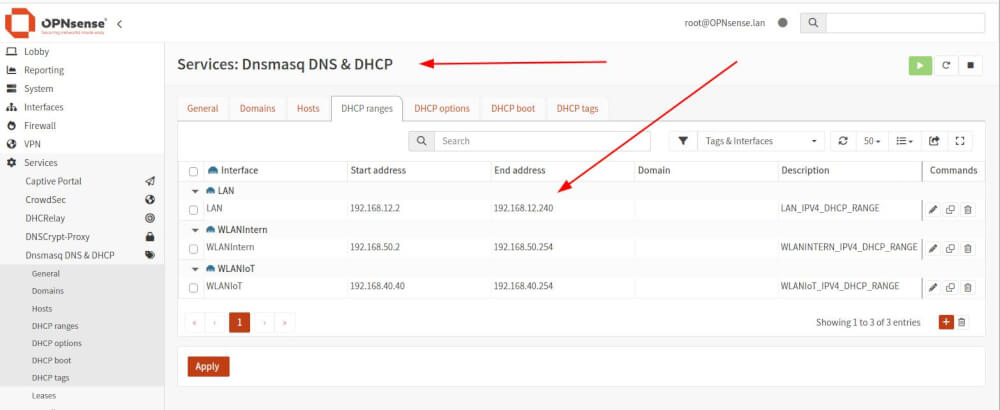
This restart actually went relatively smoothly. Most services could be started properly, although the IP address range of the LAN segment had fundamentally changed.
Fixed IP addresses in Linux configuration files
What was problematic and also quite time-consuming, however, is the fact that it is hard to believe in how many configuration files of a Linux system fixed IP addresses can be stored. Of course, these also had to be adapted.
Since I am almost exclusively about virtual machines or LXC containers, first of all the file /etc/resolv.conf should be mentioned. It contains the IP address of the respective DNS server.
Of course, this address is not automatically changed if you want to use the DNS service of the Proxmox host – as I have set up with most virtual machines and LXC containers.
That’s why I had to manually adjust all resolv.conf files of the LXC container and virtual machines.
Adjustments to the Postfix configuration
By the way, the same applies to the Postfix configuration.
I have set up a relatively simple configuration here: all virtual machines and LXC containers forward their e-mails to a relay host, who then takes care of the actual delivery of the messages via a mail relay service.
Of course, the corresponding IP addresses had to be adjusted, both the addresses of the systems on which Postfix runs and the address of the relay host.
Network devices and modems
Then there is, for example, an intelligent switch that has its own IP address.

But also my DrayTek modem, which establishes the connection to the Internet, has its own IP address.
To switch these devices, I had to connect directly to the respective devices with a laptop. To do this, I first used the IP address of the old address range and was then able to change the IP addresses via the respective administration interfaces.
Adjustment of the Proxmox Backup Server
Then there was the Proxmox Backup Server, which I run here and which takes care of the backups of my two Proxmox machines. Here, too, fixed IP addresses are stored in the respective storage configuration files, which also had to be adapted.
Unfortunately, you can’t adjust the IP address in the web interface, which is really a shame.
However, I only noticed this when the first backup failed because no connection to the PBS could be established.
CrowdSec and central administration
And then, to conclude, I still have CrowdSec running on some virtual machines. This ensures that certain systems, ports and the like are particularly protected.
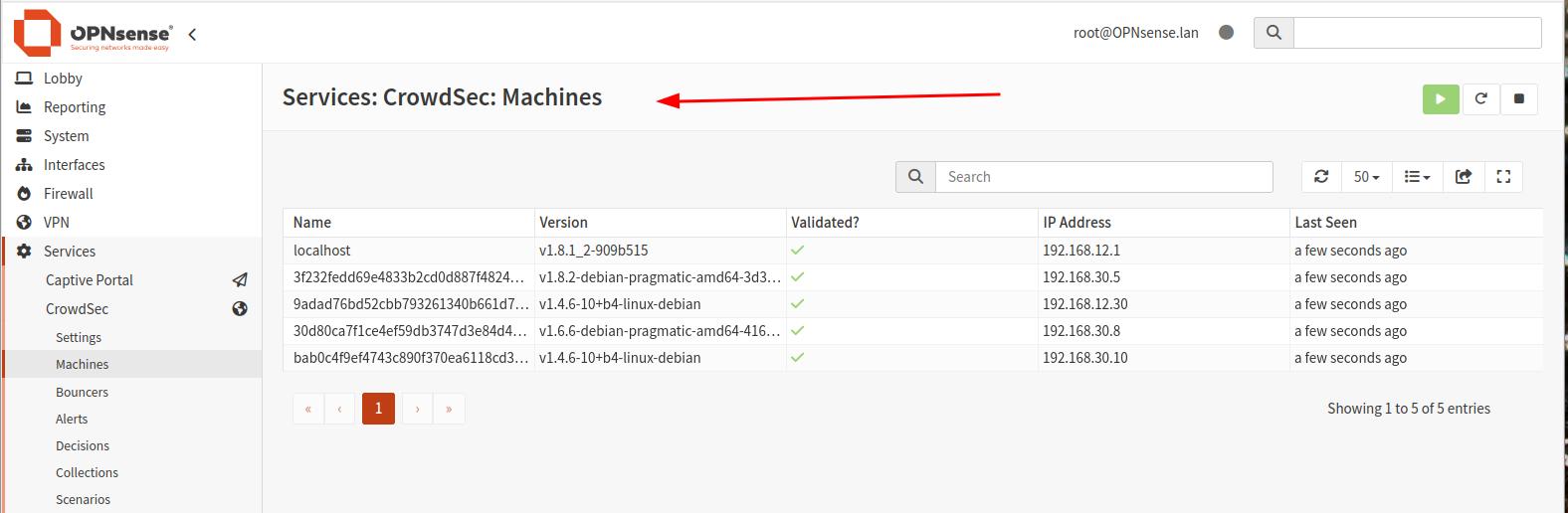
The corresponding services run centrally on a Raspberry Pi console. Of course, fixed IP addresses are also stored in the associated configuration files of CrowdSec.
I also had to change these accordingly, since otherwise the CrowdSec clients could no longer contact the central system, for example to exchange information about detected attacks and to obtain appropriate decisions to defend themselves.
It’s hard to believe, but even my little OPNsense is always the target of attacks. These are, for example, port scans or targeted attempts to find and exploit security vulnerabilities in OPNsense or pfSense systems.
Conclusion
The changeover has now been successfully completed. If there is one thing you can rely on, it is that despite good preparation you do not take into account at one point or another and it already hacks. For example, it happened to me with the configuration of the UPS software for my Eaton and aiuch with Samba configuration files, because here a bind address still had the old IP range.
ciao tuxoche


