Adobe released Lightroom Classic 15.2 and Lightroom 9.2
On February 20th, Adobe released new versions of Lightroom Classic and Lightroom. After the incident with my NAS, I thought, okay, the video will just come a week later, but that didn’t happen.
Introduction
 Lightroom Classic version 15.2 was released, and the new features, as listed on the website, are manageable in my opinion. Of course, as with every update, there are new camera models and lenses that Lightroom supports. There’s also a new image format for Lightroom, WebP, which can now be imported into Lightroom Classic.
 What’s more, Lightroom Classic now directly supports Adobe Firefly, allowing you to “edit” images with a prompt or even generate a short video.
Lightroom Desktop also includes the aforementioned new features, but in addition, it appears that a photo upscaling feature, developed in collaboration with Topaz, has been implemented, allowing you to increase the resolution of photos by up to 4x. The obvious question is, is it better than the already existing “Super Resolution” function?
Lightroom Desktop
Up until now, I’ve primarily worked with Lightroom Classic, but I sometimes use Lightroom Desktop, especially on vacation. Since I recently compared the upscaling functions of various programs, the question naturally arises: how does the new “Gigapixel” feature compare?
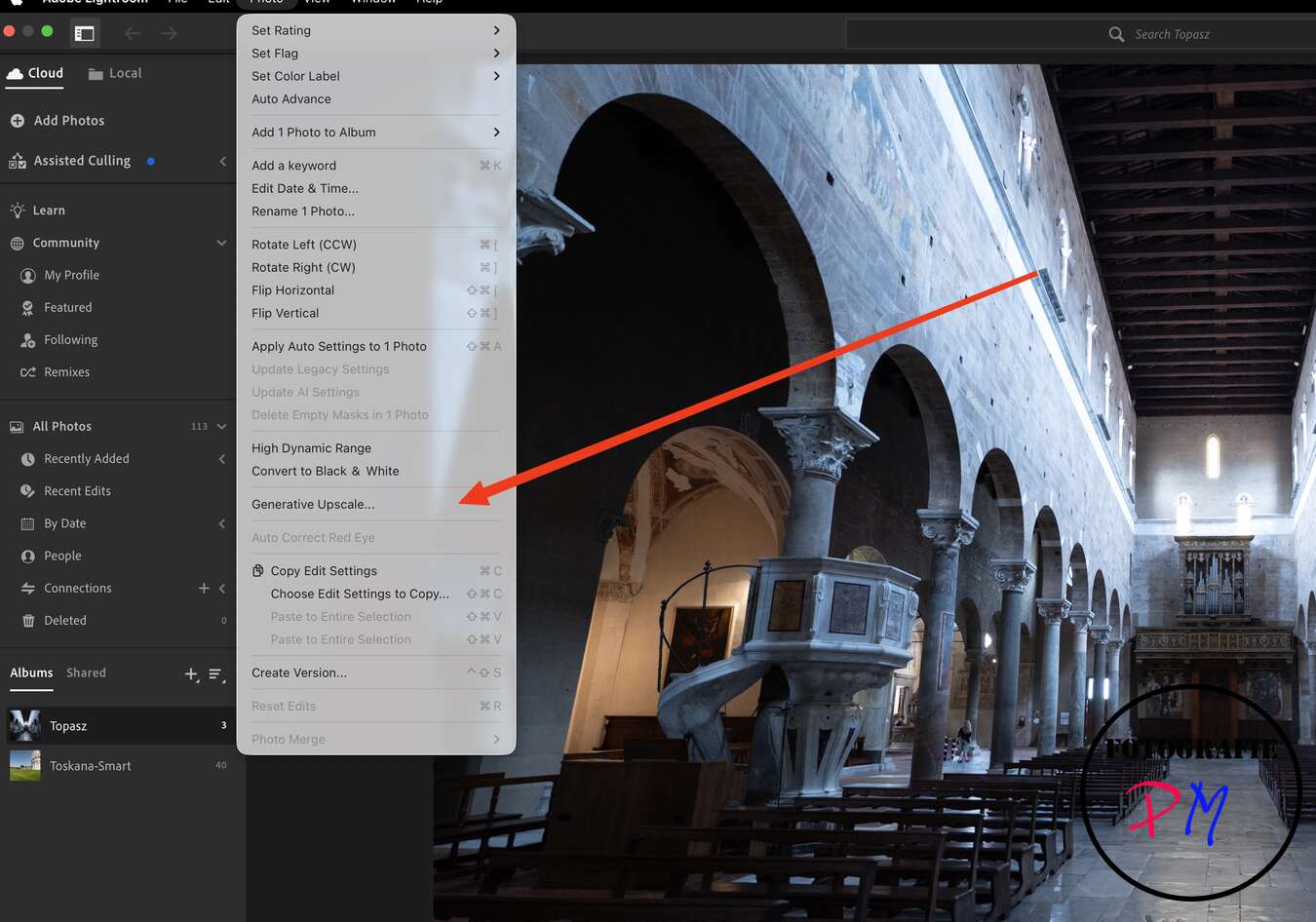
Of course, one also wonders why this function wasn’t implemented in Lightroom Classic. Unlike the Super Resolution feature, this upscaling is “paid,” as it costs credits, which are now required for the various AI features in Adobe products.

You get 250 credits with your Photography plan, and since upscaling only costs 20 credits, I thought, “Give it a try.” You can choose between 2x and 4x scaling. I initially wanted to stick with 2x for comparison with the Super Resolution feature.
But after upscaling a photo, I noticed that the credit count wasn’t updating, and this problem persisted even after 5 photos. Then I got a message prompting me to upgrade for the premium features.

According to my calculations, I should still have 150 credits. But okay, I checked my Adobe account, and it still shows 250 credits online. And you can only get more credits through an additional… Subscription, but I thought I already had the (photo) subscription. So, for example, buying additional credits for a specific project isn’t possible.
However, in a direct comparison between Super Resolution and Generative Upscaling, I can’t see any difference, at least not practically.

With some images, you get the impression that Topaz has a little more sharpness, but the difference is more than marginal. Therefore, I wouldn’t use any more credits for it.
Conclusion
The February update brought practically no new features, at least none that make you say, “Yes, this is worth the subscription because I actually get added value from updates.” But this time, Adobe, you can do better.
ciao tuxoche


